linux常用命令(十二)
1、cut
参数: -d 接分隔符(默认是以tab键为分隔符)
-f 指定取第几列
-c 从哪开始截取到哪结束但是其不能与-d选项共存。
[root@elk-03 ~]# cat testfile
I am wahaha,my address beijing

2、-d 参数
-f 参数
[root@elk-03 ~]# cat testfile | cut -d" " -f1,2
I am

3、-c 按字符参数
[root@elk-03 ~]# cat testfile |cut -c 3-4
am

4、[root@elk-03 ~]# cat testfile | cut -c 3-4,6-
amwahaha,my address beijing

5、 tar命令用于备份文件。
mkdir test
cd test/
touch {1..5}.txt
ll
total 0
-rw-r--r-- 1 root root 0 Aug 14 18:14 1.txt
-rw-r--r-- 1 root root 0 Aug 14 18:14 2.txt
-rw-r--r-- 1 root root 0 Aug 14 18:14 3.txt
-rw-r--r-- 1 root root 0 Aug 14 18:14 4.txt
-rw-r--r-- 1 root root 0 Aug 14 18:14 5.txt

6、-z或--gzip或--ungzip 通过gzip指令处理备份文件。
-c或--create 建立新的备份文件。
-f<备份文件>或--file=<备份文件> 指定备份文件。
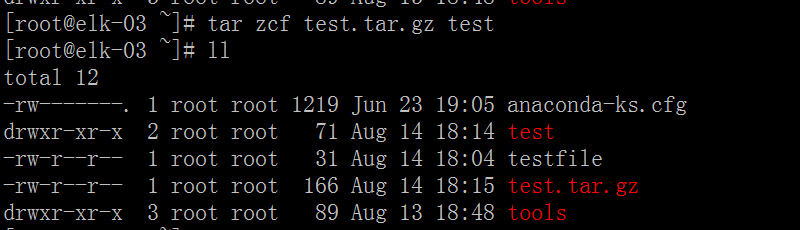
[root@elk-03 ~]# tar zcf test.tar.gz test
[root@elk-03 ~]# ll
total 12
-rw-------. 1 root root 1219 Jun 23 19:05 anaconda-ks.cfg
drwxr-xr-x 2 root root 71 Aug 14 18:14 test
-rw-r--r-- 1 root root 31 Aug 14 18:04 testfile
-rw-r--r-- 1 root root 166 Aug 14 18:15 test.tar.gz
drwxr-xr-x 3 root root 89 Aug 13 18:48 tools
7、-tf 查看压缩包里面的内容
[root@elk-03 ~]# tar -tf test.tar.gz
test/
test/1.txt
test/2.txt
test/3.txt
test/4.txt
test/5.txt
