Java PDF/XPS转为Word/html /SVG、PDF和XPS互转
1、一、导入jar文件。(有2种方式)
(推荐)方式1. 创建Maven项目程序,通过maven仓库下载导入。以IDEA为例,新建Maven项目,在pom.xml文件中配置maven仓库路径,并指定spire.cloud.sdk的依赖,如下:
<repositories>
<repository>
<id>com.e-iceblue</id>
<name>cloud</name>
<url>http://repo.e-iceblue.cn/repository/maven-public/</url>
</repository>
</repositories>
<dependencies>
<dependency>
<groupId> cloud </groupId>
<artifactId>spire.cloud.sdk</artifactId>
<version>3.5.0</version>
</dependency>
<dependency>
<groupId> com.google.code.gson</groupId>
<artifactId>gson</artifactId>
<version>2.8.1</version>
</dependency>
<dependency>
<groupId> com.squareup.okhttp</groupId>
<artifactId>logging-interceptor</artifactId>
<version>2.7.5</version>
</dependency>
<dependency>
<groupId> com.squareup.okhttp </groupId>
<artifactId>okhttp</artifactId>
<version>2.7.5</version>
</dependency>
<dependency>
<groupId> com.squareup.okio </groupId>
<artifactId>okio</artifactId>
<version>1.6.0</version>
</dependency>
<dependency>
<groupId> io.gsonfire</groupId>
<artifactId>gson-fire</artifactId>
<version>1.8.0</version>
</dependency>
<dependency>
<groupId>io.swagger</groupId>
<artifactId>swagger-annotations</artifactId>
<version>1.5.18</version>
</dependency>
<dependency>
<groupId> org.threeten </groupId>
<artifactId>threetenbp</artifactId>
<version>1.3.5</version>
</dependency>
</dependencies>
完成配置后,点击“Import Changes” 即可导入所有需要的jar文件。
如果使用的是Eclipse,可参考"E-iceblue官网在线编辑-帮助文档-WebAPI-Java-通过 Maven 仓库安装 Spire.Cloud Web API "的导入方法。
方式2:手动下载jar包,然后解压文件,手动导入jar,同时还需另行手动导入其他几个jar文件(相对比较麻烦一点)。
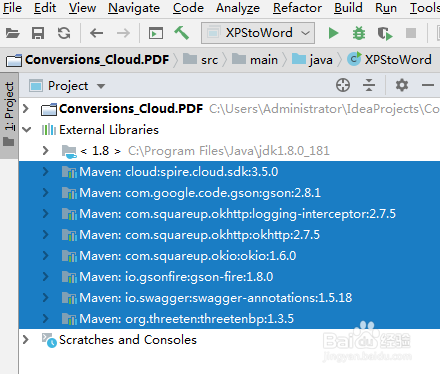
最终导入结果如下:
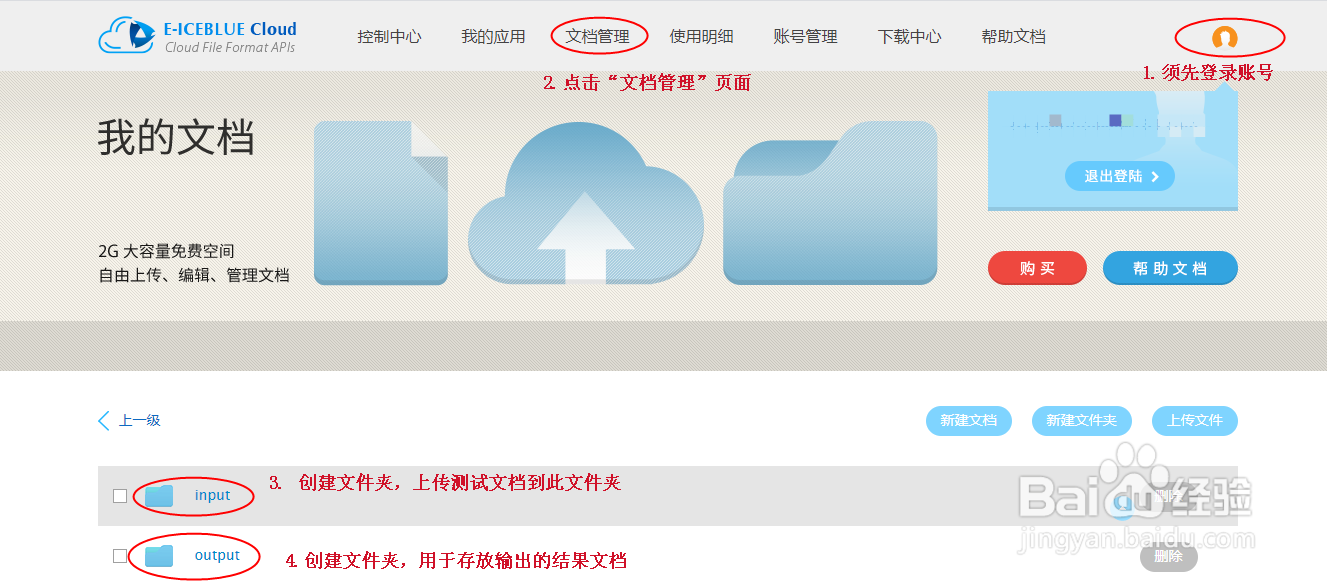
2、二、登录冰蓝云账号,创建文件夹,上传文档。
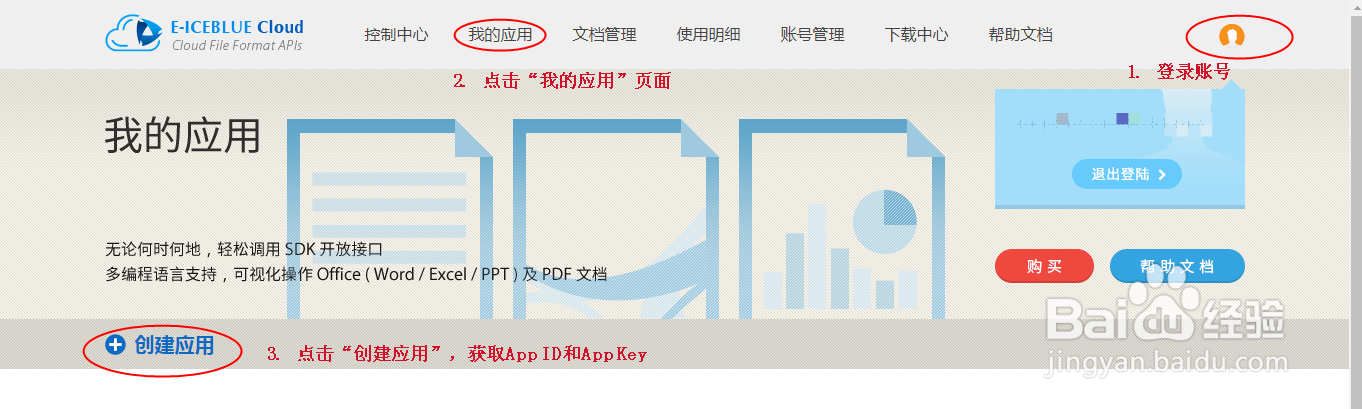
3、三、创建应用程序,获取App ID及App Key。
1、import spire.cloud.pdf.sdk.*;
import spire.cloud.pdf.sdk.api.PdfConvertApi;
public class PDFtoWord {
static String appId = "App ID";
static String appKey = "App Key";
static String baseUrl= "https://api.e-iceblue.cn";
static Configuration configuration = new Configuration(appId, appKey, baseUrl);
static PdfConvertApi pdfConvertApi=new PdfConvertApi(configuration);
public static void main(String[] args) throws ApiException{
String name = "sample.pdf";//PDF源文档
//PDF转Word(支持Docx/Doc)
String destFilePath = "output/PDFtoWord.docx";
String format = "Docx";
/*//PDF转Html
String destFilePath = "output/PDFtoHtml.html";
String format = "Html";*/
/*//PDF转PCL
String destFilePath = "output/PDFtoPCL.pcl";
String format = "Pcl";*/
/*//PDF转SVG
String destFilePath = "output/PDFtoSVG.svg";
String format = "Svg";*/
/*//PDF转PS
String destFilePath = "output/PDFtoPS.ps";
String format = "Ps";*/
/*//PDF转XPS
String destFilePath = "output/PDFtoXPS.xps";
String format = "Xps";*/
/*//PDF转PNG
String destFilePath = "output/PDFtoPng.png";
String format = "Png";*/
String folder ="input";//源文档所在文件夹
String storage = null;//冰蓝云配置的2G免费存储空间,可设置为null
String password = null;//源文档密码(无密码可设置为null)
//调用方法将PDF转为指定文档格式
pdfConvertApi.convert(name,destFilePath,format,folder,storage,password);
}
}
1、import spire.cloud.pdf.sdk.ApiException;
import spire.cloud.pdf.sdk.Configuration;
import spire.cloud.pdf.sdk.api.PdfConvertApi;
public class XPStoWord {
static String appId = "App ID";
static String appKey = "App Key";
static String baseUrl= "https://api.e-iceblue.cn";
static Configuration configuration = new Configuration(appId, appKey, baseUrl);
static PdfConvertApi pdfConvertApi = new PdfConvertApi(configuration);
public static void main(String[] args) throws ApiException {
String name = "test.xps";//XPS源文档
//XPS转Word(支持Docx、Doc)
String destFilepath = "output/XPStoDocx.docx";//结果文档路径
String format = "Docx";
/*//XPS转Html
String destFilepath = "output/XPStoHtml.html";//结果文档路径
String format = "Html"; */
/*//XPS转SVG
String destFilepath = "output/XPStoSVG.svg";//结果文档路径
String format = "Svg"; */
/*//XPS转PCL
String destFilepath = "output/XPStoPCL.pcl";//结果文档路径
String format = "Pcl"; */
/*//XPS转PS
String destFilepath = "output/XPStoPS.ps";//结果文档路径
String format = "Ps";*/
/*//XPS转PNG
String destFilepath = "output/XPStoPNG.png";//结果文档路径
String format = "Png";*/
/*//XPS转PDF
String destFilepath = "output/XPStoPDF.pdf";//结果文档路径
String format = "Pdf";*/
String folder = "input";//源文档所在文件夹
String storage = null;
String password = null;
//调用方法转换XPS文件为指定文档格式
pdfConvertApi.convert(name, destFilepath, format, folder, storage, password);
}
}
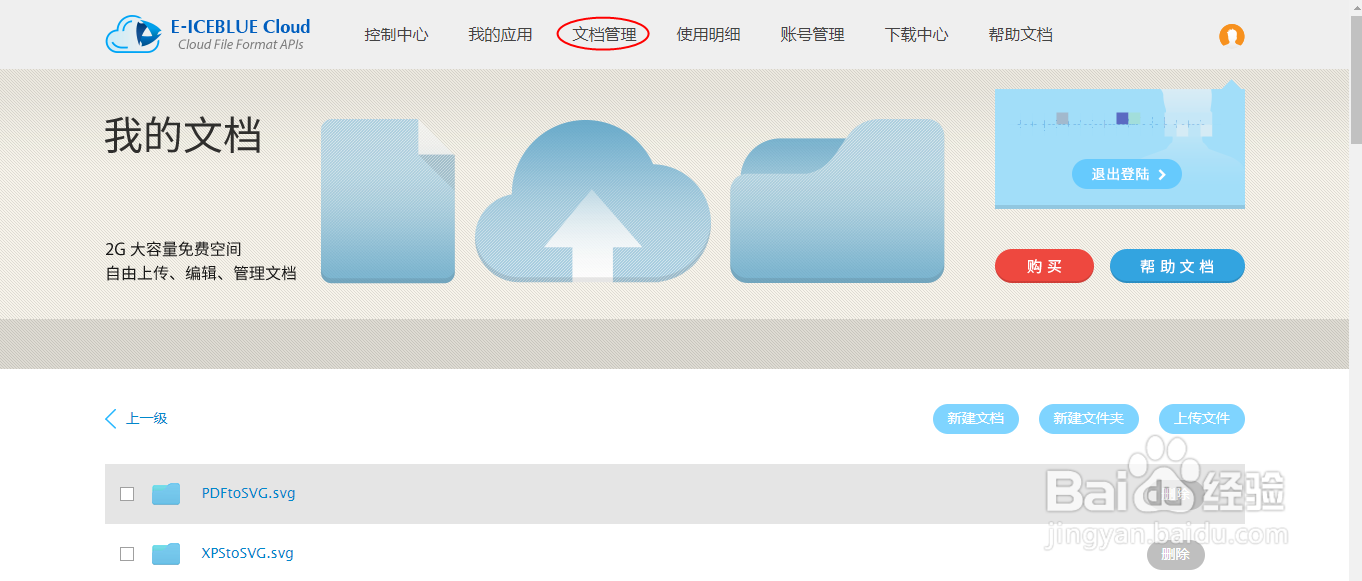
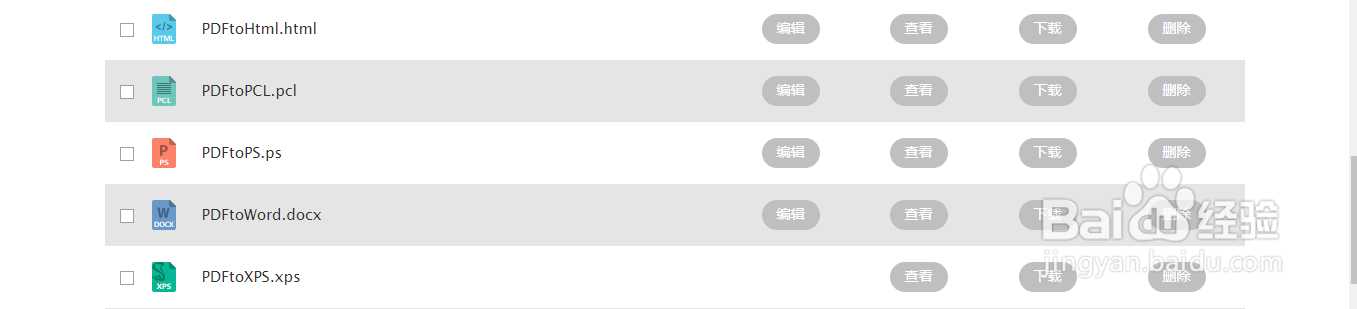
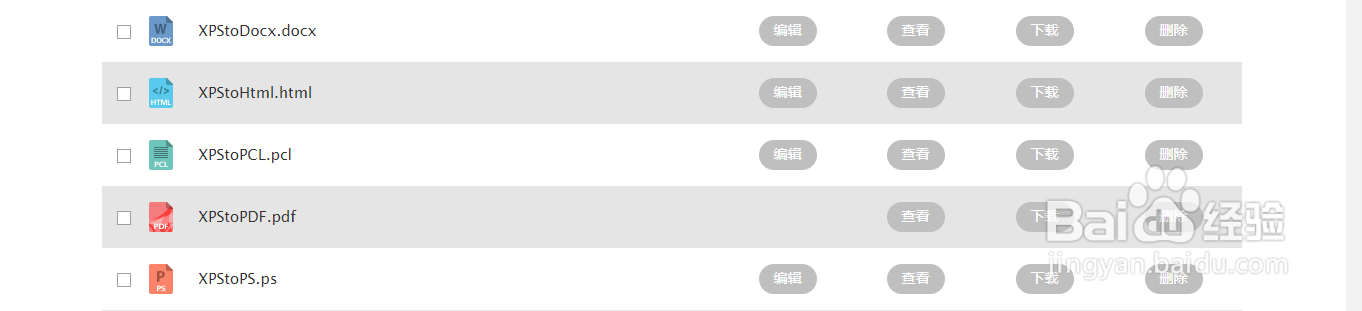
1、文档转换结果如下,注意转为SVG格式时,将源文档的每一页作为一个单独的svg文件保存,当源文档为多页时,在转换结果时会默认生成一个文件夹放置svg文件: