Go to the bar!
</a>
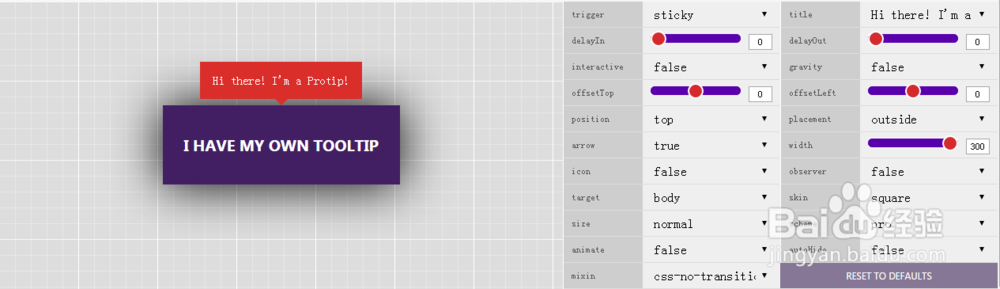
元素上添加了一个protip class,然后在data-pt-title中的内容就是提示的内容。
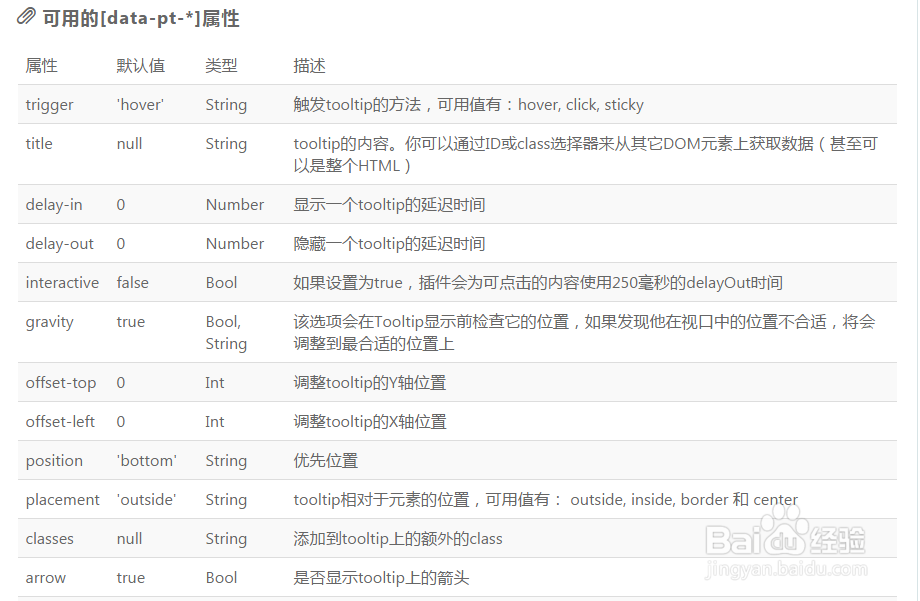
6、可用[data-pt-*]属性(其一),如下图所示:
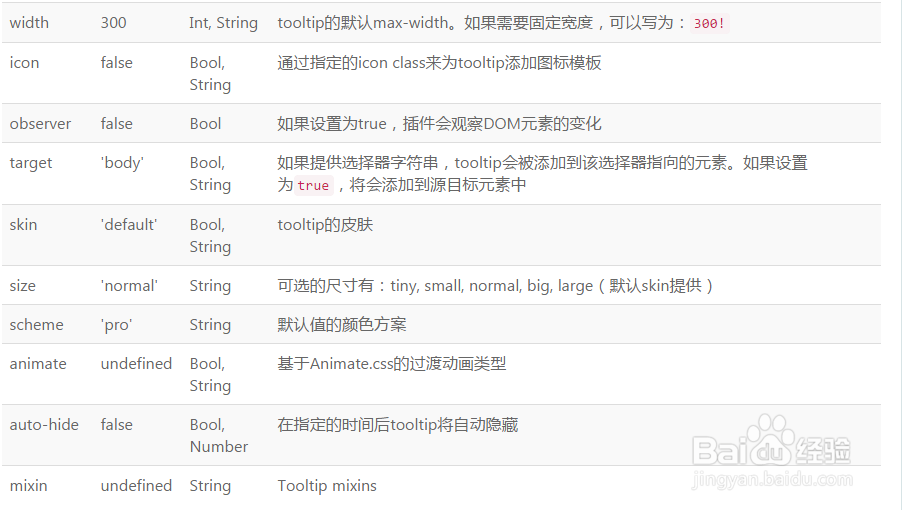
7、可用[data-pt-*]属性(其二),如下图所示:
8、jQuery Helpers:
var el = $('.el');
// Set tooltip to the element.
el.protipSet([options]);
// Show the tooltip of this element. Same as set, but it won't show.
el.protipShow([options]);
// Hide the tooltip of this element.
el.protipHide();
// Toggle the tooltip of this element.
el.protipToggle();
// Hide all tooltips inside of this element.
el.protipHideInside();
// Show all tooltips inside of this element.
el.protipShowInside();
// Toggle all tooltips inside of this element.
el.protipToggleInside();
// Custom show event
el.on('protipshow', function(ItemInstance){});
// Custom hide event
el.on('protiphide', function(ItemInstance){});
// Use console.log(ItemInstance) in the callback to check what options you have.
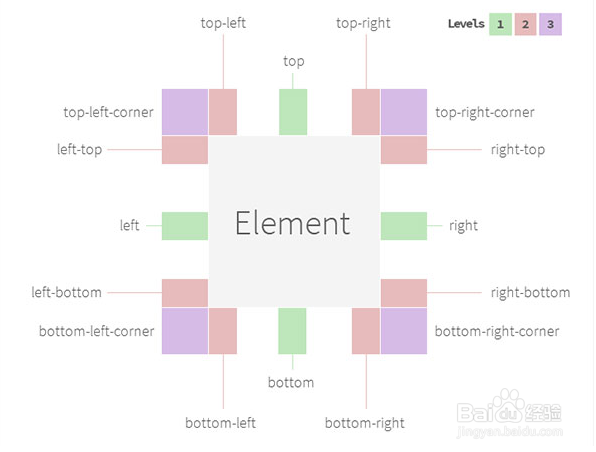
9、Tooltip可用的位置有:
corner-left-top
top-left
top
top-right
corner-right-top
right-top
right
right-bottom
bottom-left
bottom
bottom-right
corner-right-bottom
left-top
left
left-bottom
corner-left-bottom
10、示例:
<div class="my-el protip" data-pt-title="My element"></div>
var el = $('.my-el');
// Shows tooltip with title: "My element"
el.protipShow();
// Shows tooltip with title: "My new title"
el.protipShow({
title: 'My new title'
});
// Changed trigger from hover to click
el.protipSet({
trigger: 'click'
});
// Changed trigger from hover to click and also show it
el.protipShow({
trigger: 'click'
});
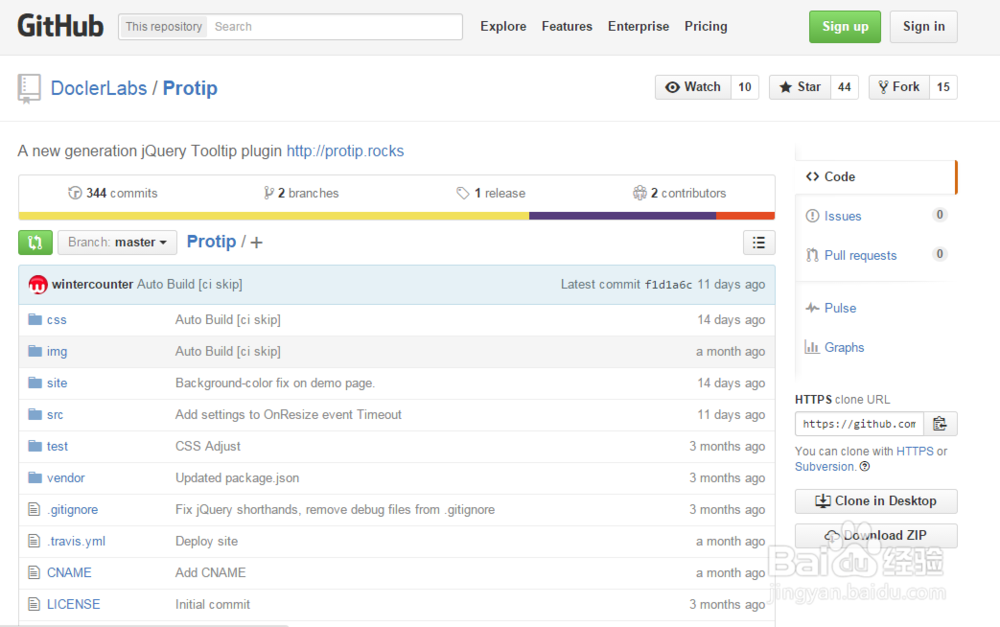
11、下载源代码,可以在github
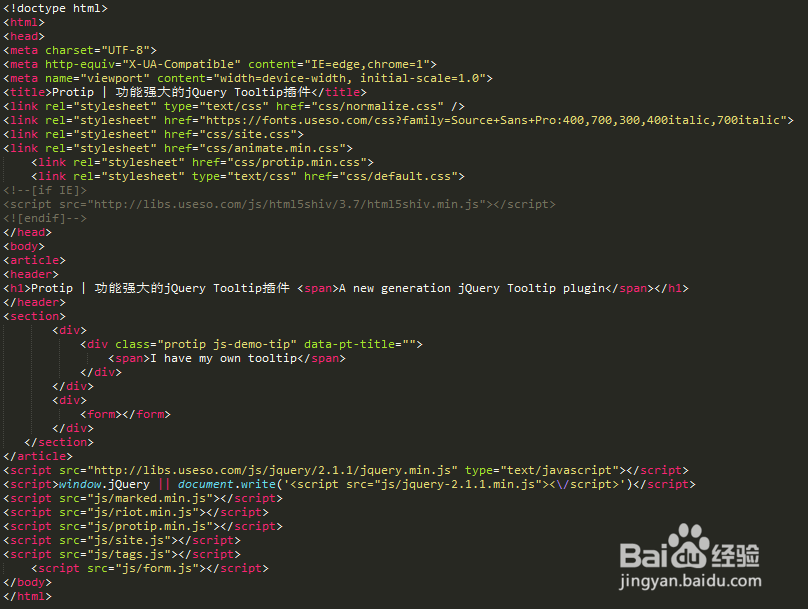
12、案例HTML完整代码如下图所示:
13、Protip | 功能强大的jQuery Tooltip插件,案例运行效果如下图所示。