Photoshop移动绿树
1、先百度 Photoshop选取相似。去掉树的logo。

2、编辑的拷贝。
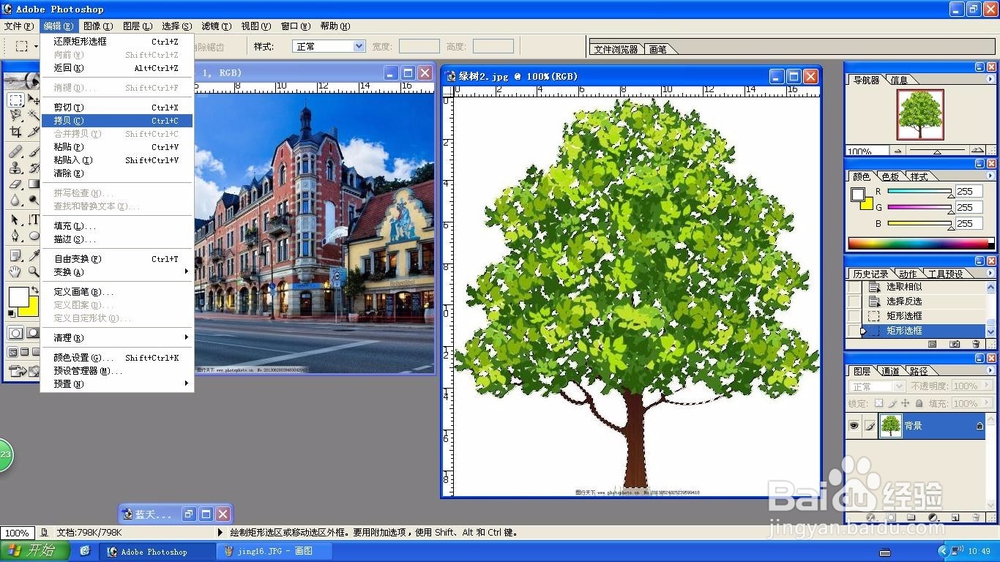
3、编辑的粘贴。
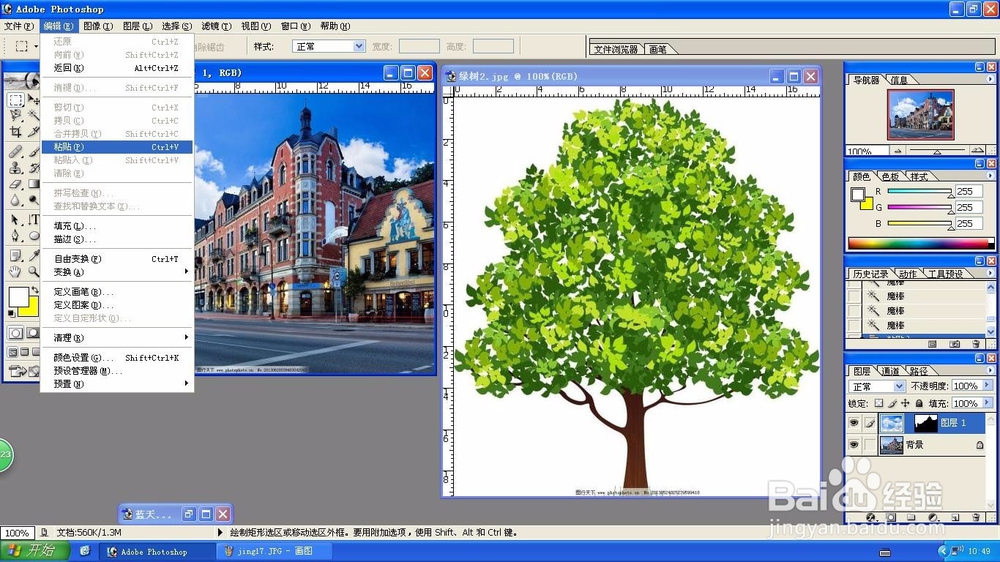
4、粘贴后的效果。

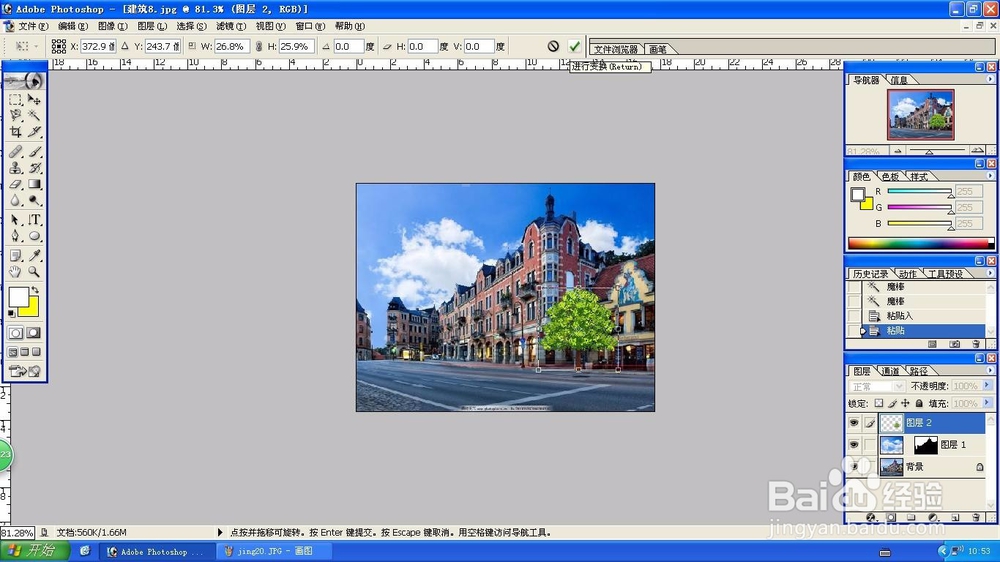
5、编辑的自由变换。

6、调整后进行变化。
声明:本网站引用、摘录或转载内容仅供网站访问者交流或参考,不代表本站立场,如存在版权或非法内容,请联系站长删除,联系邮箱:site.kefu@qq.com。
1、先百度 Photoshop选取相似。去掉树的logo。
2、编辑的拷贝。
3、编辑的粘贴。
4、粘贴后的效果。
5、编辑的自由变换。
6、调整后进行变化。