PowerShell删除粘贴板的空行
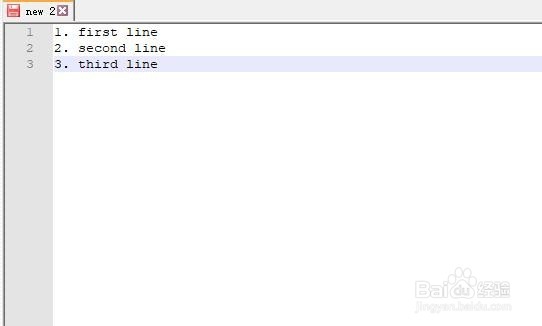
1、首先我在文本里输入几行带空行的文本
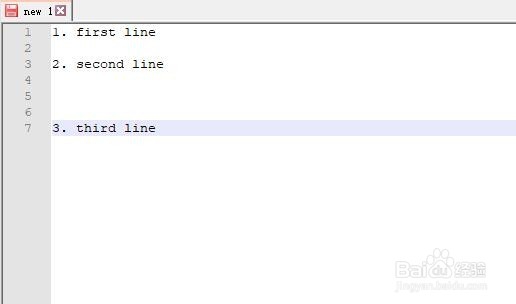
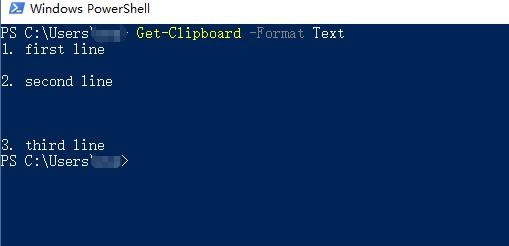
2、接着,我们用ctrl + c,复制所有的文本到剪贴板, 然后使用powershell的命令获取粘贴板的内容
Get-Clipboard -Format Text
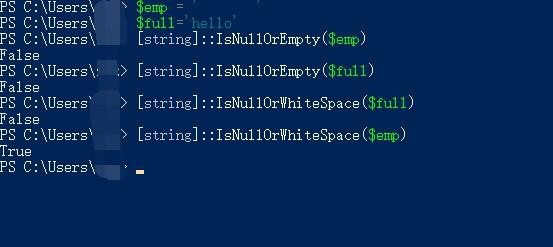
3、接着,我们从对输入的粘贴板进行处理,我们会使用IsNullOrEmpty和IsNullOrWhiteSpace这个函数来对每一行文本进行判断, IsNullOrEmpty与IsNullOrWhiteSpace的使用方法:
$emp = ' '
$full='hello'
[string]::IsNullOrEmpty($emp)
[string]::IsNullOrEmpty($full)
[string]::IsNullOrWhiteSpace($full)
[string]::IsNullOrWhiteSpace($emp)
4、第四步, 继续第二步的命令,基于powershell的管道模式,继续对粘贴板的内容进行处理
Get-Clipboard -Format Text | Where-Object { -not ([string]::IsNullOrEmpty($_) -or [string]::IsNullOrWhiteSpace($_))}
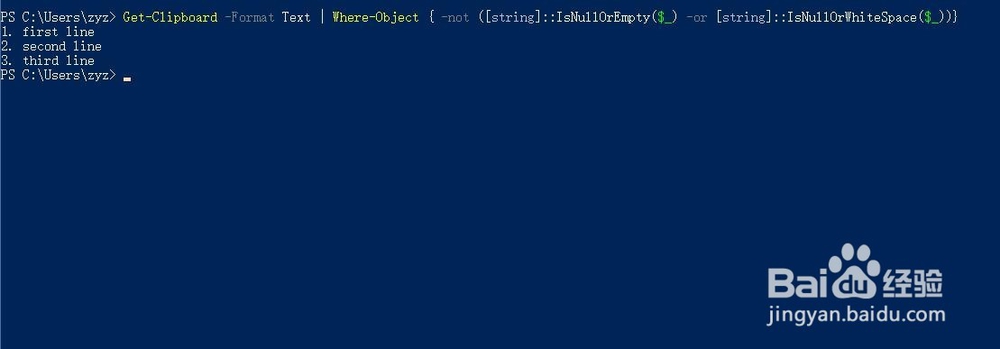
5、至此,我们移除了所有的空行,得到了我们的效果
声明:本网站引用、摘录或转载内容仅供网站访问者交流或参考,不代表本站立场,如存在版权或非法内容,请联系站长删除,联系邮箱:site.kefu@qq.com。
阅读量:177
阅读量:41
阅读量:50
阅读量:166
阅读量:181