jsonp跨域 +jqGrid+bootstrap翻页
1、引入js,css.
<link rel="stylesheet" type="text/css" href="css/bootstrap-3.3.4.css">
<link rel="stylesheet" type="text/css" href="css/ui.jqgrid-bootstrap.css">
<script type="text/javascript" src="js/jquery.min.js"></script>
<script type="text/javascript" src="js/bootstrap.js"></script>
<script type="text/javascript" src="js/grid.locale-cn.js"></script>
<script type="text/javascript" src="js/jquery.jqGrid.js"></script>
2、声明宽度:
<script>
$.jgrid.defaults.width = 1000;
</script>
添加html
<table id="jqGrid"></table>
<div id="jqGridPager"></div>
引入翻页图标
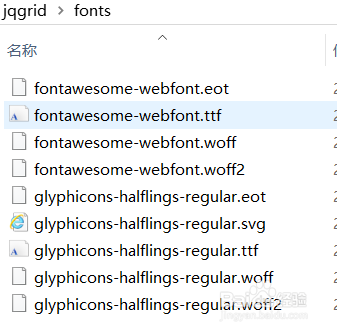
3、添加声明代码:
<script type="text/javascript">
$(document).ready(function() {
$("#jqGrid").jqGrid({
url: 'http://trirand.com/blog/phpjqgrid/examples/jsonp/getjsonp.php?callback=?&qwery=longorders',
mtype: "GET",
styleUI: 'Bootstrap',
datatype: "jsonp",
colModel: [{
label: 'OrderID',
name: 'OrderID',
key: true,
width: 40
},
{
label: 'CustomerID',
name: 'CustomerID',
width: 100
},
{
label: 'OrderDate',
name: 'OrderDate',
width: 100
},
{
label: 'Freight',
name: 'Freight',
width: 100
},
{
label: 'ShipName',
name: 'ShipName',
width:80
}
],
viewrecords: true,
height: 500,
rowNum: 20,
total:4000,
pager: "#jqGridPager"
});
});
</script>
代码实例链接: https://pan.baidu.com/s/1fO34st8suQrjlmzq8WB-Nw 密码: a95t