一键清理电脑系统垃圾
1、快速清理系统垃圾,网上可以搜到很多的网友给出的代码,比如下图中这样在有。

2、桌面新建一个“文本文档”,把代码复制进去。代码是这样的
@echo offe
cho 正在清除系统垃圾文件,请稍等......
del /f /s /q %systemdrive%\*.tmp
del /f /s /q %systemdrive%\*._mp
del /f /s /q %systemdrive%\*.log
del /f /s /q %systemdrive%\*.gid
del /f /s /q %systemdrive%\*.chk
del /f /s /q %systemdrive%\*.old
del /f /s /q %systemdrive%\recycled\*.*
del /f /s /q %windir%\*.bak
del /f /s /q %windir%\prefetch\*.*
rd /s /q %windir%\temp & md %windir%\temp
del /f /q %userprofile%\cookies\*.*
del /f /q %userprofile%\recent\*.*
del /f /s /q "%userprofile%\Local Settings\Temporary Internet Files\*.*"
del /f /s /q "%userprofile%\Local Settings\Temp\*.*"
del /f /s /q "%userprofile%\recent\*.*"
echo 清除系统LJ完成!
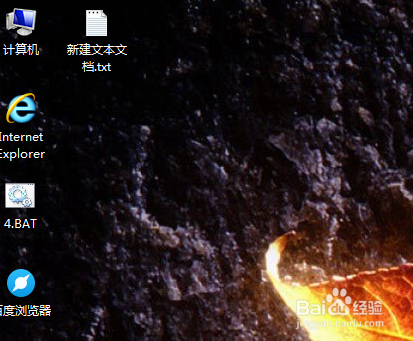

3、然后文件另存为“系统垃圾清理.bat”,桌面上你就可以看到这个文件。


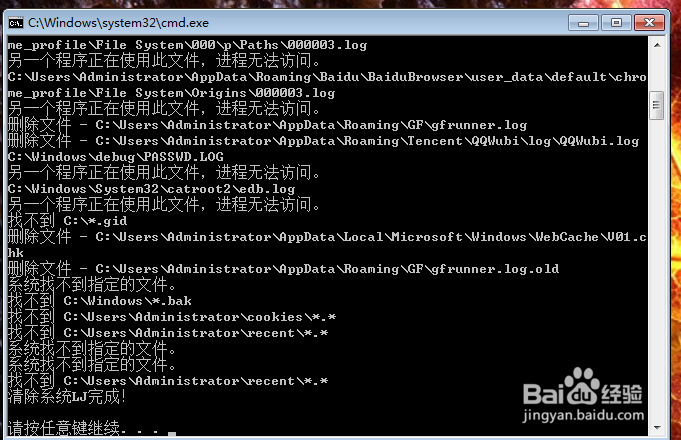
5、del /f /s /q %systemdrive%\recycled\*.* ,这行代码是清除回收站中的文件,不会经过你同意直接删除的,你可以考虑需不需要,不需要删除就可以。

6、del /f /q %userprofile%\cookies\*.*,这行代码是删除cookies的,可以让你在论坛,网页等地方不用频繁的输入用户名密码登录。如果是私人电脑建议删除。

7、删除你不需要的代码后按步骤3,4,5操作即可。