git连接github超时问题Connection timed out
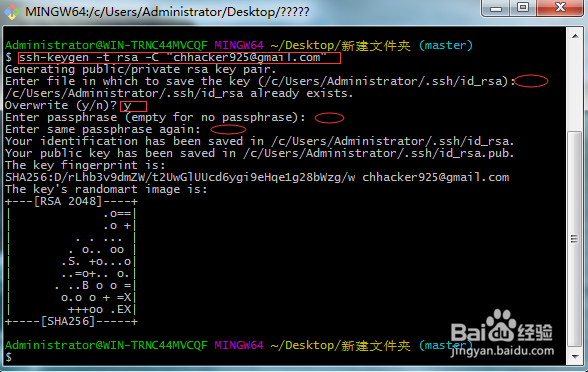
1、在解决超时的问题时,我先说下生成秘钥;长方形框填写,椭圆形不用填回车就行(ssh-keygen -t rsa -C "youremail@example.com"生成秘钥命令)
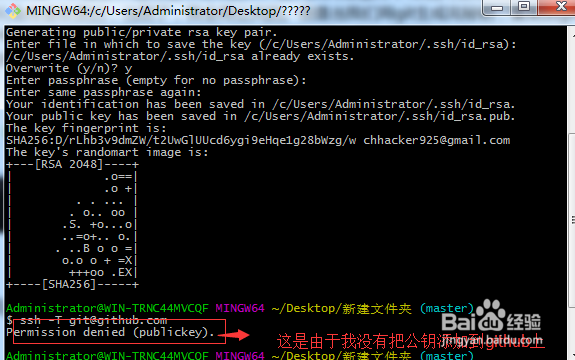
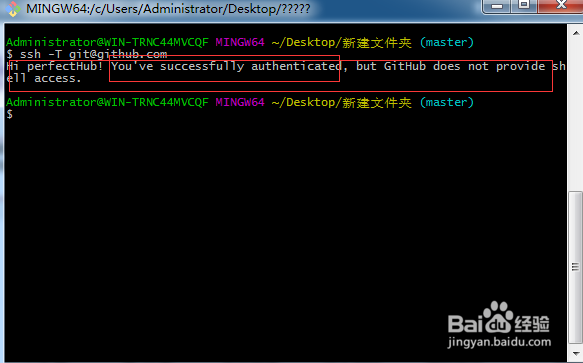
2、在我们测试git是否成功连接github时,使用:ssh -T git@github.com,如果出现:You've successfully authenticated,那么恭喜你,连接成功可以使用了。如果出现:ssh: connect to host github.com port 22: Connection timed out,很遗憾连接超时
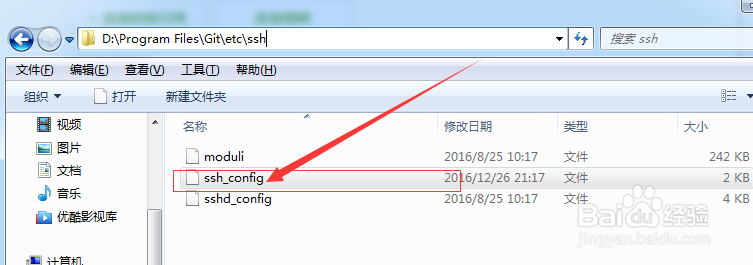
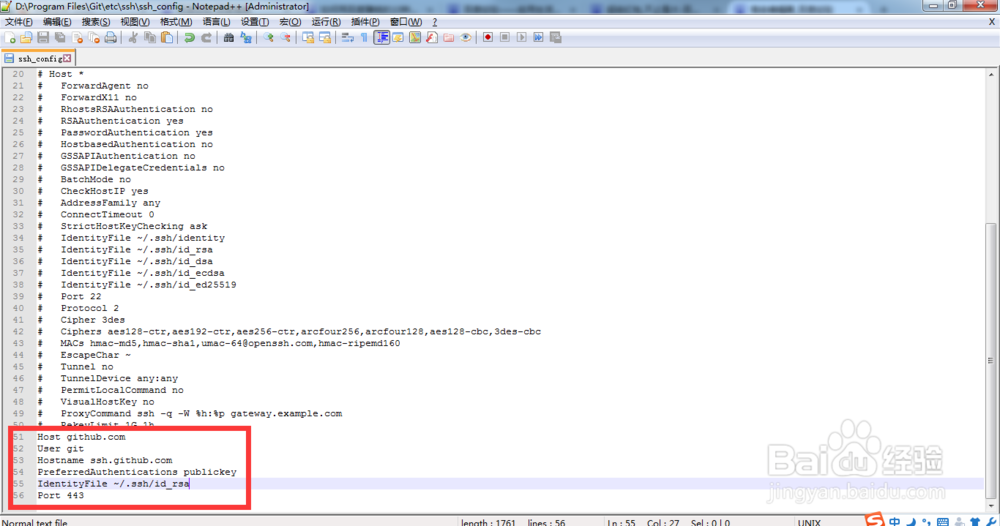
3、连接超时,首先找到git的安装目录,找到/etc/ssh/ssh_config文件
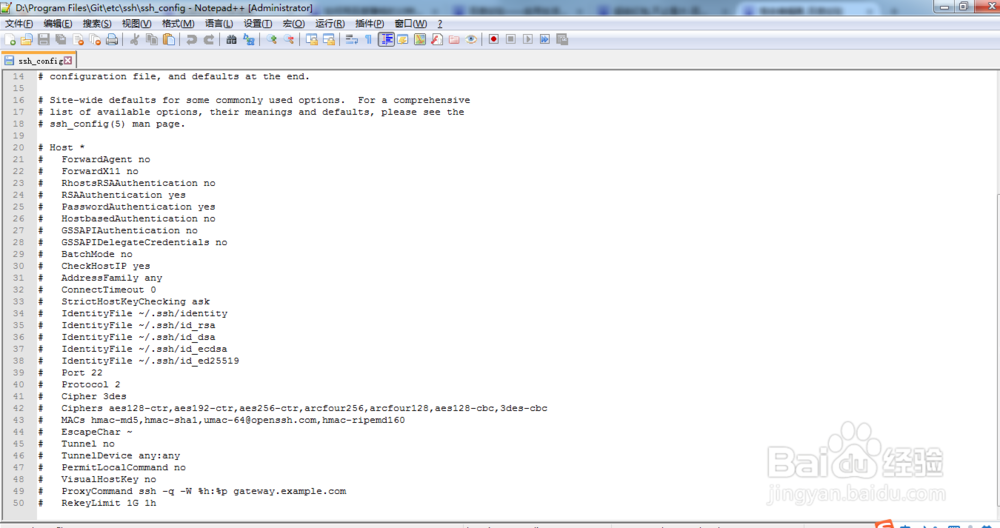
4、用notepad++打开这个文件,如下图:
5、把如下内容复制到ssh_config文件的末尾处:并记得保存
Host github.com
User git
Hostname ssh.github.com
PreferredAuthentications publickey
IdentityFile ~/.ssh/id_rsa
Port 443
如图:
6、在使用:ssh -T git@github.com来测试git是否成功连接github
看成功了,完事。(第一次写,有什么不足之处,请指出,谢谢)
声明:本网站引用、摘录或转载内容仅供网站访问者交流或参考,不代表本站立场,如存在版权或非法内容,请联系站长删除,联系邮箱:site.kefu@qq.com。
阅读量:28
阅读量:36
阅读量:180
阅读量:50
阅读量:160