PowerPoint中怎么插入图片条纹
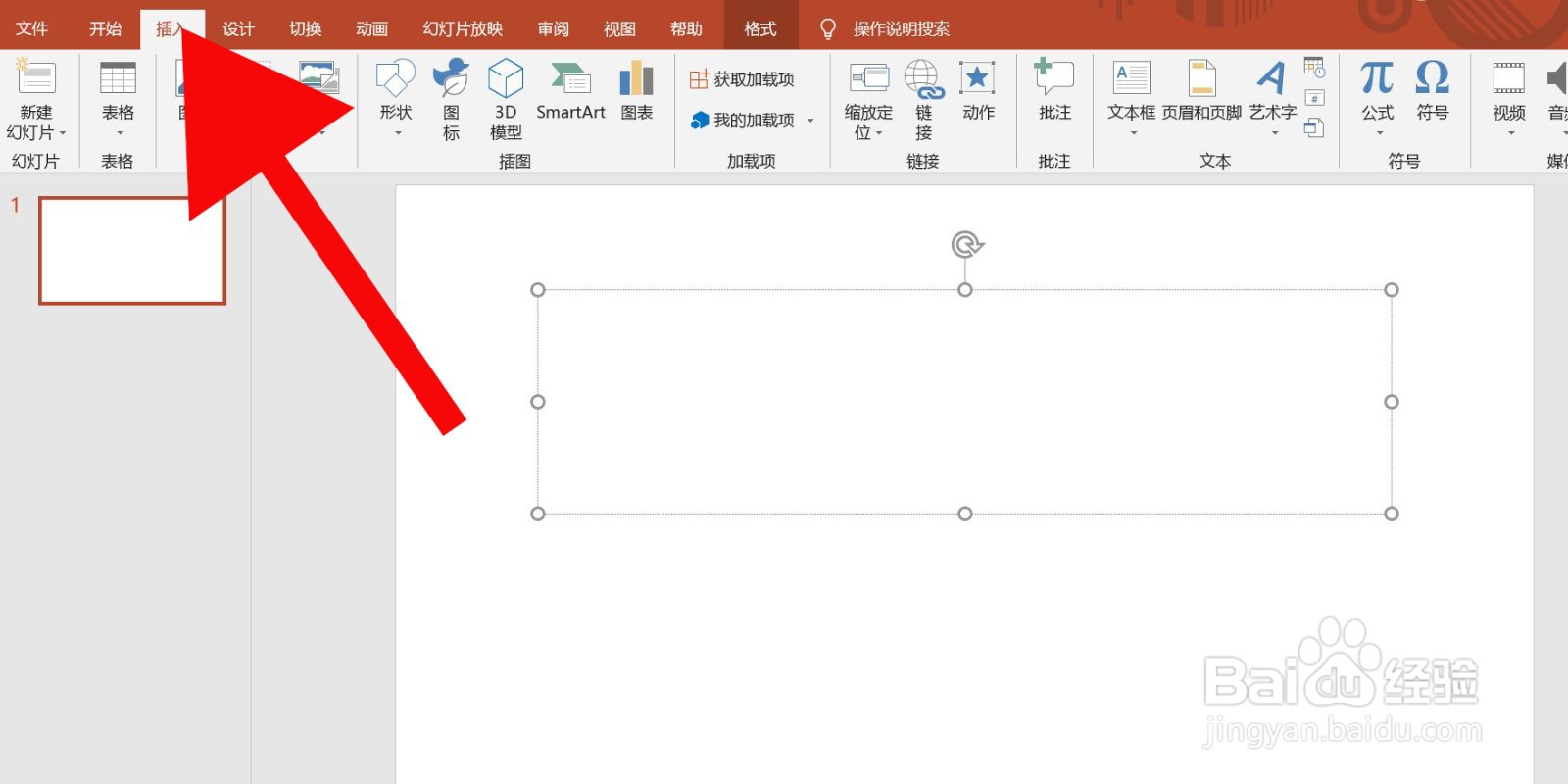
1、第一步、打开PowerPoint中的插入选项。
 " alt="PowerPoint中怎么插入图片条纹" referrerPolicy="no-referrer" />
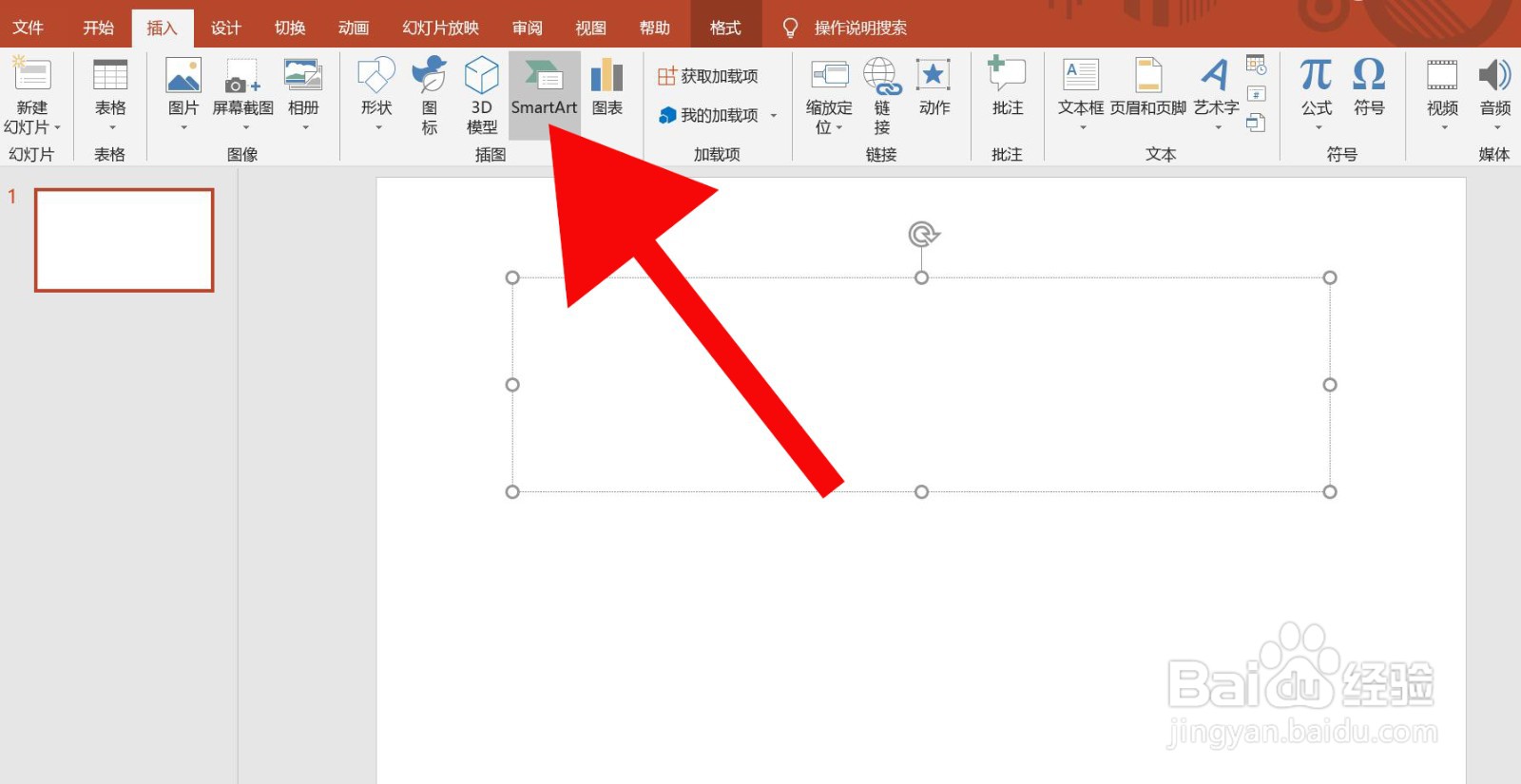
2、第二步、点击SmartArt。
 " alt="PowerPoint中怎么插入图片条纹" referrerPolicy="no-referrer" />
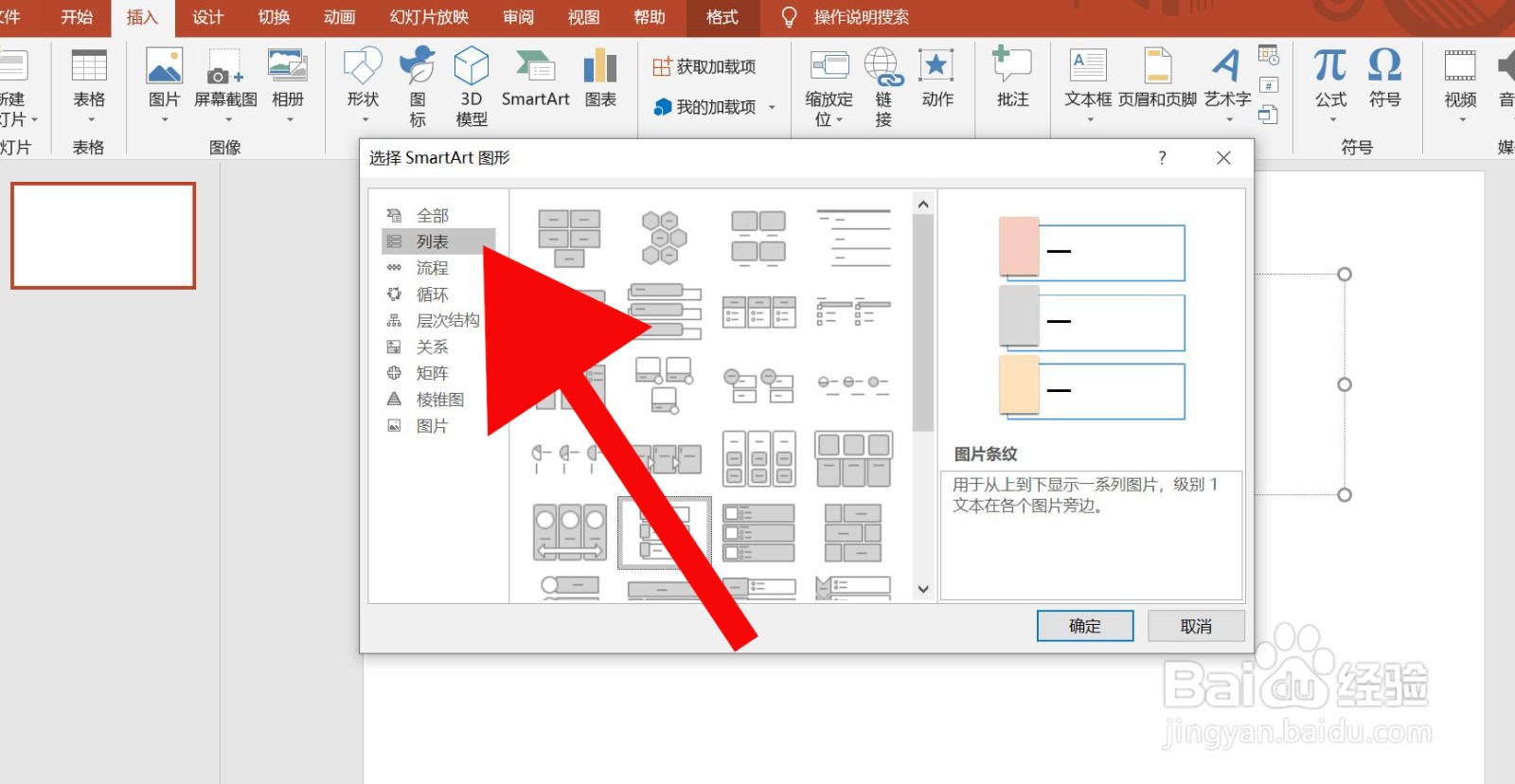
3、第三步、点击列表。
 " alt="PowerPoint中怎么插入图片条纹" referrerPolicy="no-referrer" />
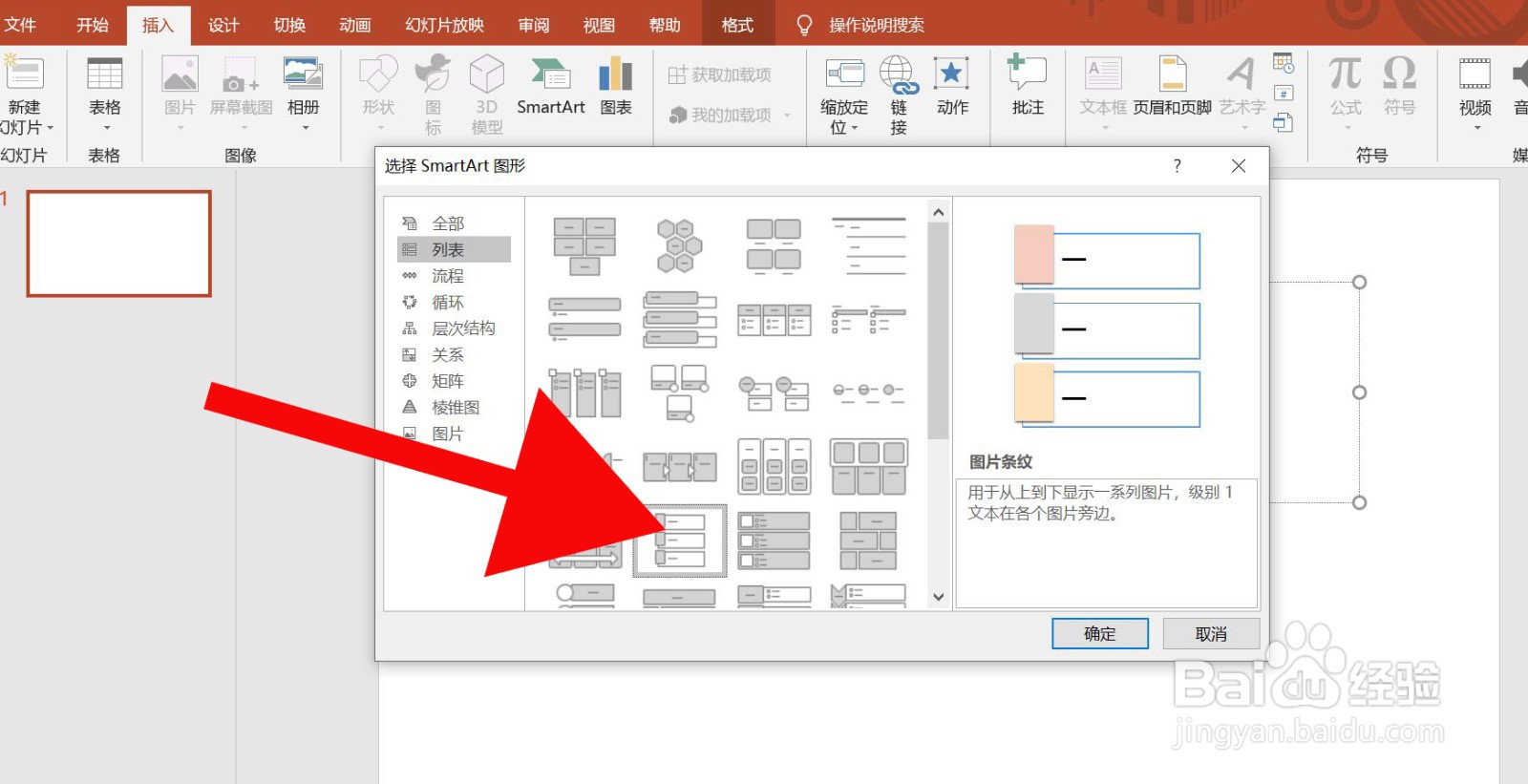
4、第四步、点击图片条纹,然后确定。
 " alt="PowerPoint中怎么插入图片条纹" referrerPolicy="no-referrer" />
5、第五步、编辑插入后的图片条纹便可完成。
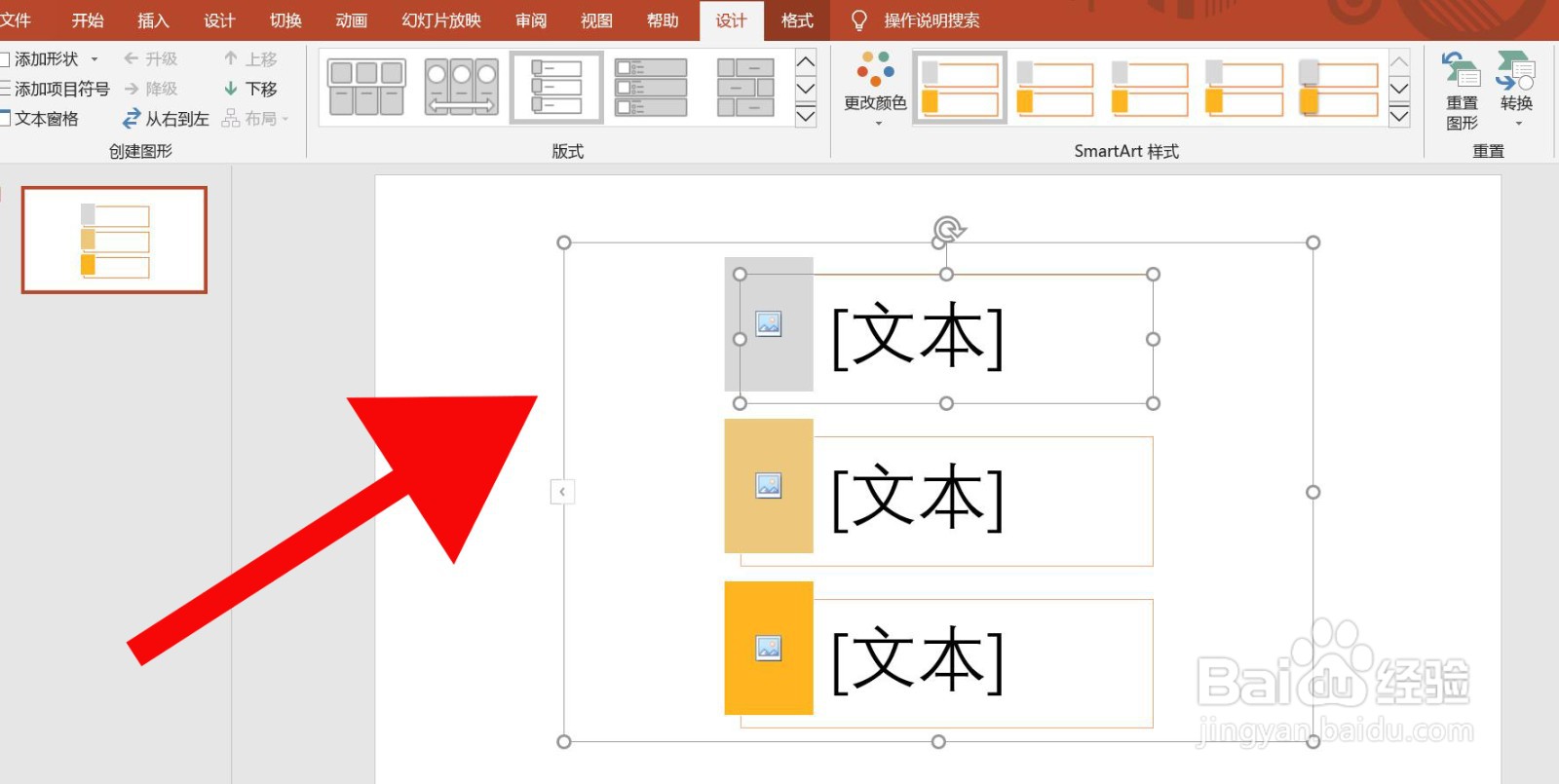 " alt="PowerPoint中怎么插入图片条纹" referrerPolicy="no-referrer" />
声明:本网站引用、摘录或转载内容仅供网站访问者交流或参考,不代表本站立场,如存在版权或非法内容,请联系站长删除,联系邮箱:site.kefu@qq.com。
阅读量:107
阅读量:83
阅读量:31
阅读量:63
阅读量:153