在Edraw Max中插入Callouts
1、打开Edraw Max软件,进入它的主界面;
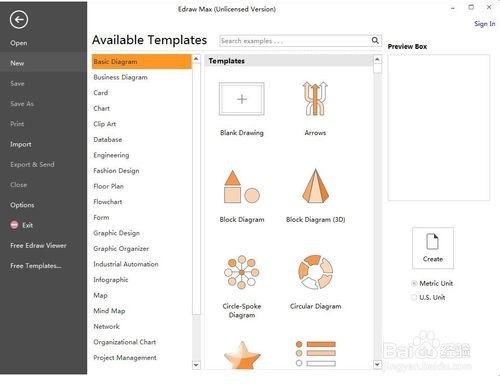
2、在基本图形中点Circle-Spoke Diagram,然后双击它;

3、进入Edraw Max的图形库中;

4、用鼠标左键点击Callouts;

5、出现Callouts的各种样式;
根据设计需要选择一种样式;

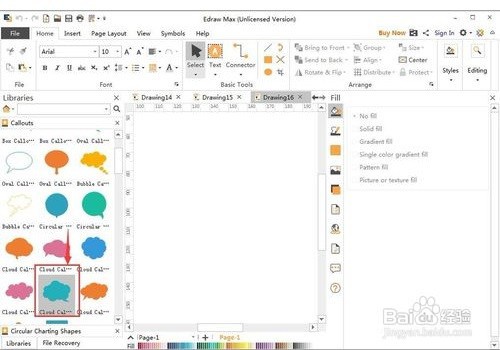
6、将它拉到右边的编辑区中;
在Edraw Max中插入了一个自己需要的Callouts图形。


1、在Edraw Max中插入Callouts
1打开Edraw Max,进入它的主界面;
2双击Circle-Spoke Diagram,
3进入Edraw Max的图形库中;
4用鼠标左键点击Callouts;
5出现Callouts的各种样式;
根据设计需要选择一种样式;
6将它拉到右边的编辑区中;
在Edraw Max中插入了一个Callouts图形。
声明:本网站引用、摘录或转载内容仅供网站访问者交流或参考,不代表本站立场,如存在版权或非法内容,请联系站长删除,联系邮箱:site.kefu@qq.com。