视觉图像:Matlab+OpenCV图像数据类型的转换
1、Matlab中图像数据类型转换:
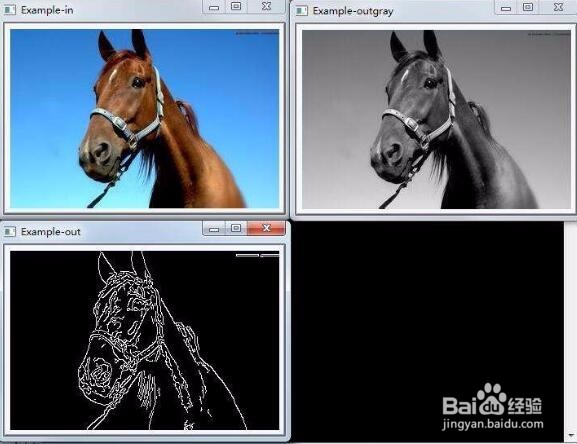
MATLAB中读入图像的数据类型是uint8,但在矩阵运算中的数据类型是double;
因此I2 = im2double(I1) :把图像数组uint8 类型(I1)转换成double精度类型;
如果不转换,在对uint8进行加减时会产生溢出,可能提示的错误为:Function '*' is not defined for values of class 'uint8'
2、Matlab中图像数据类型转换函数:
默认情况下,matlab将图像中的数据存储为double型,即64位浮点数;
matlab还支持无符号整型(uint8和uint16);
uint型的优势在于节省空间,但涉及运算时要转换成double型。
im2double():将图像数组转换成double精度类型;
im2uint8():将图像数组转换成unit8类型;
im2uint16():将图像数组转换成unit16类型;
3、Opencv中图像数据类型的转换
不同深度图像的转换,要注意范围:
比如:
IPL_DEPTH_8U 转到 IPL_DEPTH_32F,
要用cvConvertScale(pImg8, pImg32, 1.0/255, 0); 要除255;
反过来
IPL_DEPTH_32F 转到 IPL_DEPTH_8U,
要用cvConverScale(pImg32, pImg8, 255, 0);要乘以255;
#include<opencv2/opencv.hpp>
using namespace cv;
Mat img;
img.create(2,2,CV_8UC1);
Mat img2;
img.convertTo(img2, CV_32FC1); // or CV_32F works (too)
或:
convertTo(Mat,CV_64FC1,1/255.0)
【注】:
CV_8UC1的取值范围0-255,因此直接imshow就可以显示图像了;
CV_64FC1取值范围远远不止0~255,需要先归一化成0~1.0,imshow的时候会把图像乘以255后再显示。
4、IplImage* vs Mat:
IplImage是OpenCV中C语言的图像类型;
Mat是OpenCV中C++语言的图像类型;
Mat转换IplImage
//! converts header to IplImage; no data is copied operator IplImage() const;
举例:
Mat img;
IplImage *src;
src=&IplImage(img);
IplImage转换Mat
//! converts old-style IplImage to the new matrix; the data is not copied by default
Mat(const IplImage* img, bool copyData=false);
5、memcpy()用法:
memcpy( pGryOrgImg, srcGry->imageDataOrigin, sz.width*sz.height);
函数原型:
void *memcpy(void *dest, const void *src, size_t n);
功能:
把一块内存中的字节,不管其中的内容是什么,从内存的一个区域复制到另一个区域;
由src指向地址为起始地址的连续n个字节的数据复制到以destin指向地址为起始地址的空间内;
头文件:
#include<string.h>
返回值:
函数返回一个指向dest的指针;
说明:
①source和destin所指内存区域不能重叠,函数返回指向destin的指针;
②与strcpy相比,memcpy并不是遇到'\0'就结束,而是一定会拷贝完n个字节;
memcpy用来做内存拷贝,你可以拿它拷贝任何数据类型的对象,可以指定拷贝的数据长度;
例:
char a[100], b[50];
memcpy(b, a,sizeof(b)); //注意如用sizeof(a),会造成b的内存地址溢出。
strcpy就只能拷贝字符串了,它遇到'\0'就结束拷贝;
例:
char a[100], b[50];
strcpy(a,b);
③如果目标数组destin本身已有数据,执行memcpy()后,将覆盖原有数据(最多覆盖n);如果要追加数据,则每次执行memcpy后,要将目标数组地址增加到你要追加数据的地址。
//注意,source和destin都不一定是数组,任意的可读写的空间均可;
6、示例:
example1:
作用:将s中的字符串复制到字符数组d中。
//memcpy.c
#include<stdio.h>
#include<string.h>
int main()
{
char *s="Golden Global View";
char d[20];
clrscr();
memcpy(d,s,strlen(s));
d[strlen(s)]='\0';//因为从d[0]开始复制,总长度为strlen(s),d[strlen(s)]置为结束符
printf("%s",d);
getchar();
return 0;
}
输出结果:GoldenGlobal View
example2:
作用:将s中第14个字符开始的4个连续字符复制到d中。(从0开始)
#include<string.h>
int main()
{
char *s="Golden Global View";
char d[20];
memcpy(d,s+14,4);//从第14个字符(V)开始复制,连续复制4个字符(View)
//memcpy(d,s+14*sizeof(char),4*sizeof(char));也可
d[4]='\0';
printf("%s",d);
getchar();
return 0;
}
输出结果: View
example3:
作用:复制后覆盖原有部分数据
#include<stdio.h>
#include<string.h>
int main(void)
{
charsrc[] = "******************************";
chardest[] = "abcdefghijlkmnopqrstuvwxyz0123as6";
printf("destinationbefore memcpy: %s\n", dest);
memcpy(dest,src, strlen(src));
printf("destinationafter memcpy: %s\n", dest);
return0;
}
输出结果:
destinationbefore memcpy:abcdefghijlkmnopqrstuvwxyz0123as6
destinationafter memcpy: ******************************as6