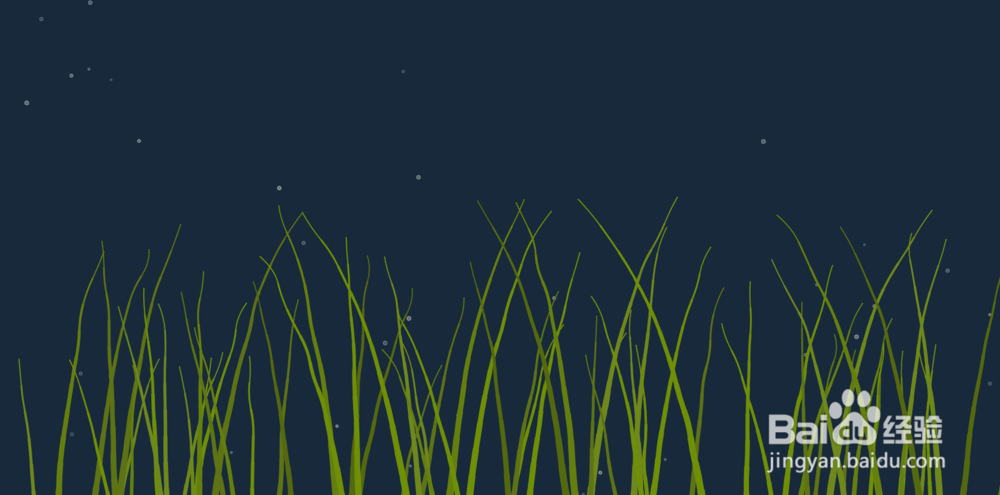
html5 canvas海底水草动画特效
1、新建html文档。
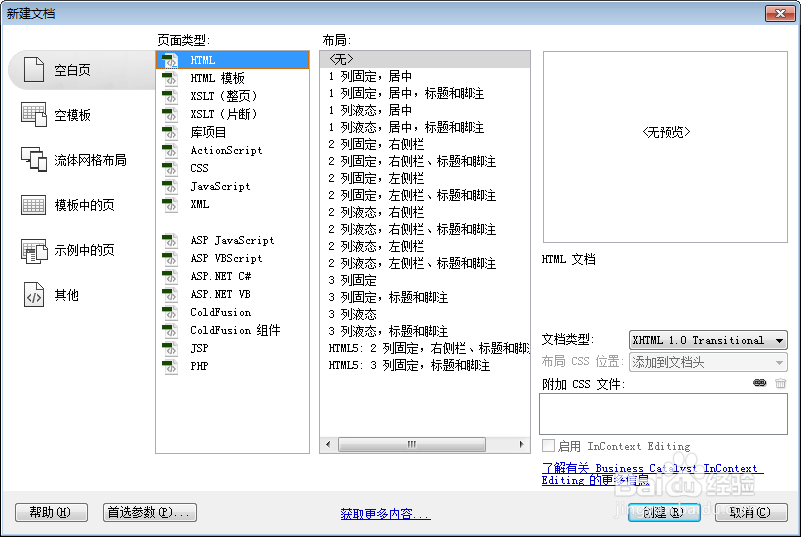
2、书写hmtl代码。
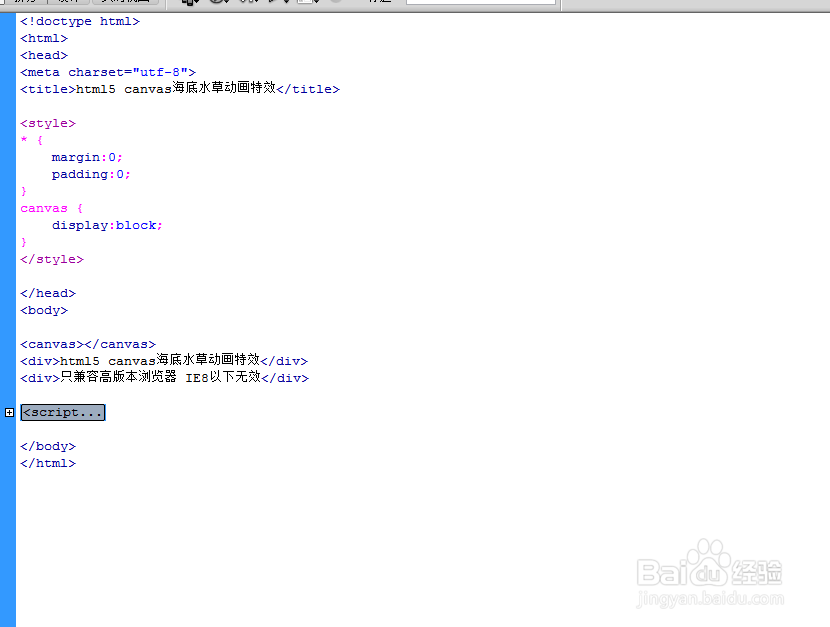
<canvas></canvas>
<div>html5 canvas海底水草动画特效</div>
<div>只兼容高版本浏览器 IE8以下无效</div>

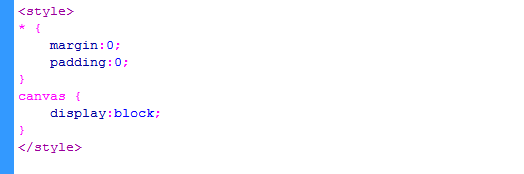
3、书写css代码。
<style>
* {
margin:0;
padding:0;
}
canvas {
display:block;
}
</style>
这里没有做所有html标签的初始化,根据个人项目自己初始化标签默认样式。
4、书写并添加js代码。
<script>
var canvas, ctx, width, height, stems, bubbles;
stems = [];
bubbles = [];
function Bubble(x, y, radius) {
this.x = x;
this.y = y;
this.radius = radius;
this.vy = -Math.random() * 5;
this.opacity = 0.2 + Math.random() * 0.5;
this.oldY = y;
}
Bubble.prototype.draw = function() {
var strokeColor, fillColor;
strokeColor = 'rgba(255, 255, 255,' + this.opacity + ')';
fillColor = 'rgba(255, 255, 255,' + (this.opacity / 2) + ')';
ctx.save();
ctx.lineWidth = 0.8;
ctx.strokeStyle = strokeColor;
ctx.fillStyle = fillColor;
ctx.beginPath();
ctx.arc(this.x, this.y, this.radius, 0, Math.PI * 2, true);
ctx.closePath();
ctx.fill();
ctx.stroke();
ctx.restore();
}
function Stem(points, color) {
this.points = points;
this.color = color;
}
Stem.prototype.draw = function(ctx) {
var len, ctrlPoint, point;
len = this.points.length - 1;
ctrlPoint = {x: 0, y: 0};
ctx.save();
ctx.strokeStyle = this.color;
ctx.beginPath();
ctx.moveTo(this.points[this.points.length - 1].x, this.points[this.points.length - 1].y);
for (var i = len; i >= 1; i--) {
point = this.points[i];
ctrlPoint.x = (point.x + this.points[i - 1].x) / 2;
ctrlPoint.y = (point.y + this.points[i - 1].y) / 2;
ctx.quadraticCurveTo(point.x, point.y, ctrlPoint.x, ctrlPoint.y);
ctx.lineWidth = i * 1.1;
ctx.stroke();
ctx.fillStyle = 'red';
}
ctx.restore();
}
init();
function init(){
canvas = document.querySelector('canvas');
ctx = canvas.getContext('2d');
width = canvas.width = window.innerWidth;
height = canvas.height = window.innerHeight;
populateStems(height / 3, width, 25);
generateBubbles(50);
drawFrame();
};
function generateBubbles(bubblesLimit) {
for (var i = 0; i <= bubblesLimit; i++) {
bubbles.push(new Bubble(Math.random() * width, height + Math.random() * height / 2, 2 + Math.random() * 2));
}
}
function populateStems(offset, limit, step) {
for (var x = 0; x <= limit; x += step) {
generateStem(x, height / 2 - offset / 2 + Math.random() * offset, 50)
}
}
function generateStem(x, pointsLen, step) {
var positions, y, offset, colorsArr, color;
colorsArr = ['#6e881b', '#5d7314', '#54690f', '#657f0f', '#6f8f06'];
color = Math.floor(1 + Math.random() * colorsArr.length - 1);
positions = [];
if (height < 600) {
offset = -40 + Math.random() * 80;
for (y = height - pointsLen; y <= height + 100; y += step / 2) {
positions.push({x: x + offset / (y / 2000), y: y, angle: Math.random() * 360, speed: 0.1 + Math.random() * 0.3});
}
} else {
offset = -100 + Math.random() * 200;
for (y = height - pointsLen; y <= height + 100; y += step) {
positions.push({x: x + offset / (y / 2000), y: y, angle: Math.random() * 360, speed: 0.1 + Math.random() * 0.3});
}
}
stems.push(new Stem(positions, colorsArr[color]));
}
function drawFrame() {
window.requestAnimationFrame(drawFrame, canvas);
ctx.fillStyle = '#17293a';
ctx.fillRect(0, 0, width, height);
bubbles.forEach(moveBubble);
stems.forEach(function(stem) {
stem.points.forEach(movePoint);
stem.draw(ctx);
});
}
function moveBubble(bubble) {
if (bubble.y + bubble.radius <= 0) bubble.y = bubble.oldY;
bubble.y += bubble.vy;
bubble.draw(ctx);
}
function movePoint(point, index) {
point.x += Math.sin(point.angle) / (index / 2.2);
point.angle += point.speed;
}
</script>
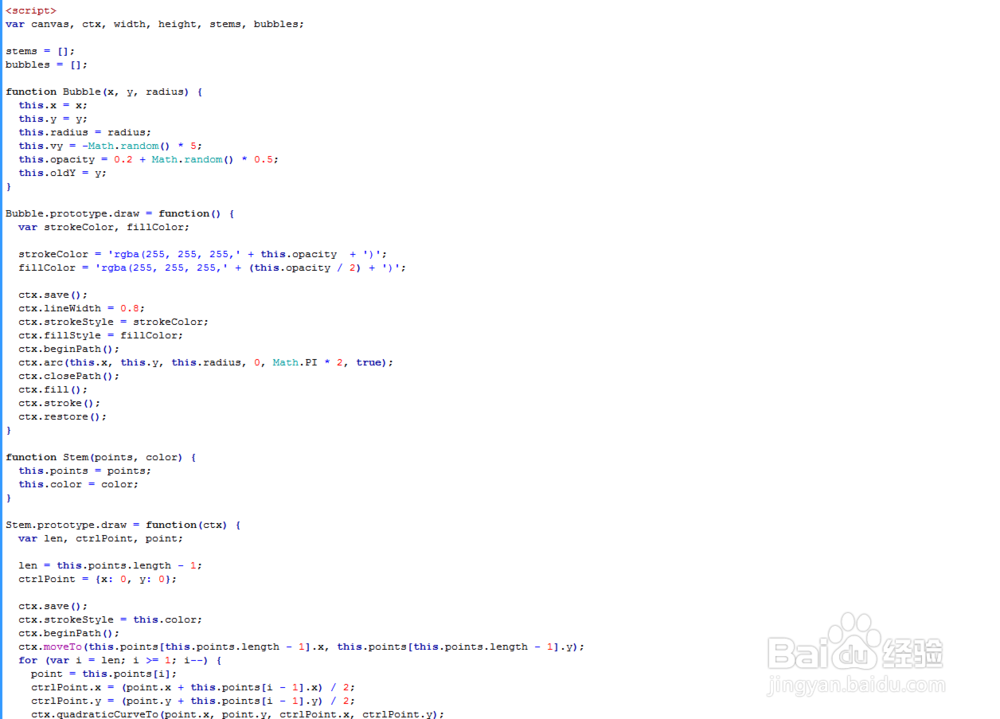
5、代码整体结构。
6、查看效果。