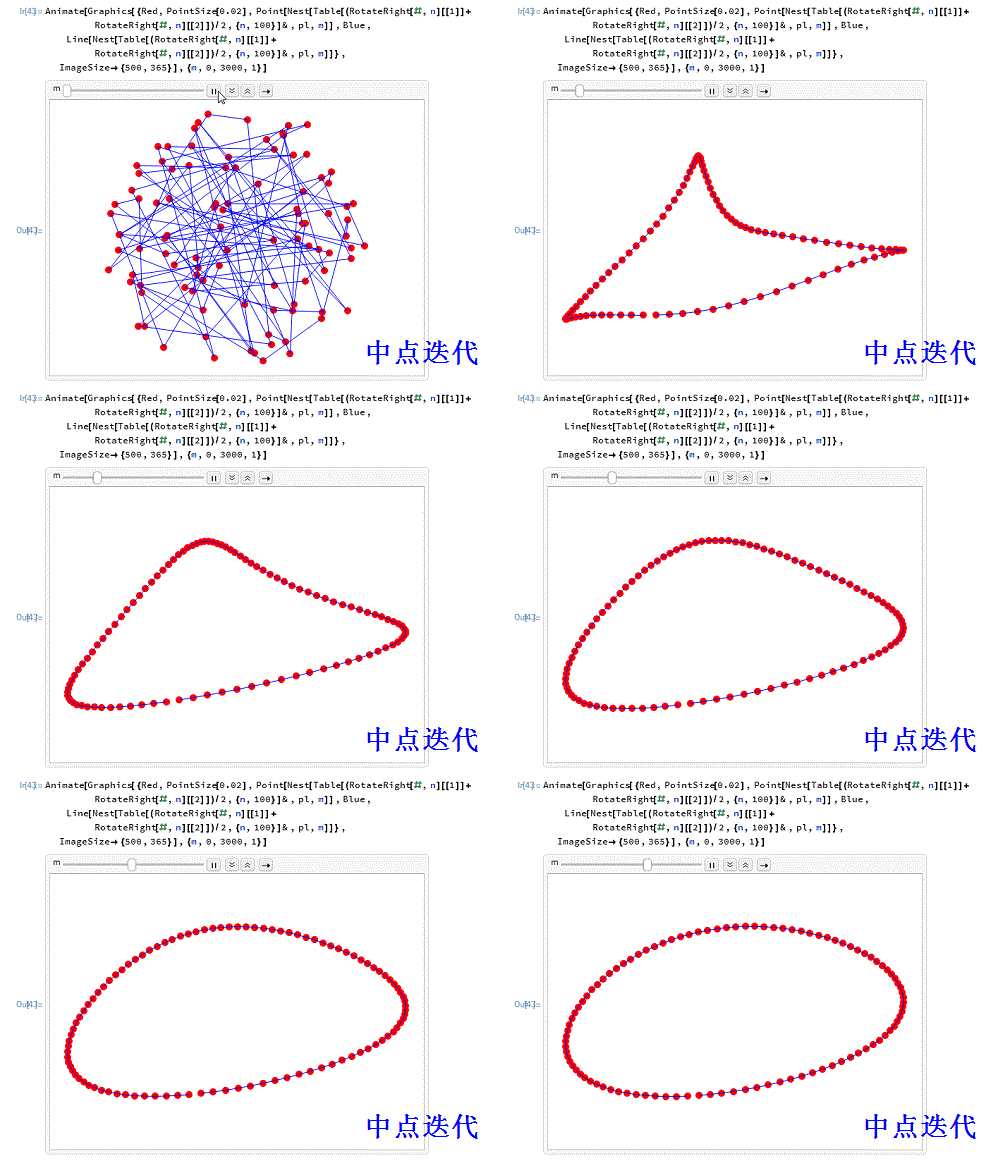
用Mathematica演示“中点迭代”现象
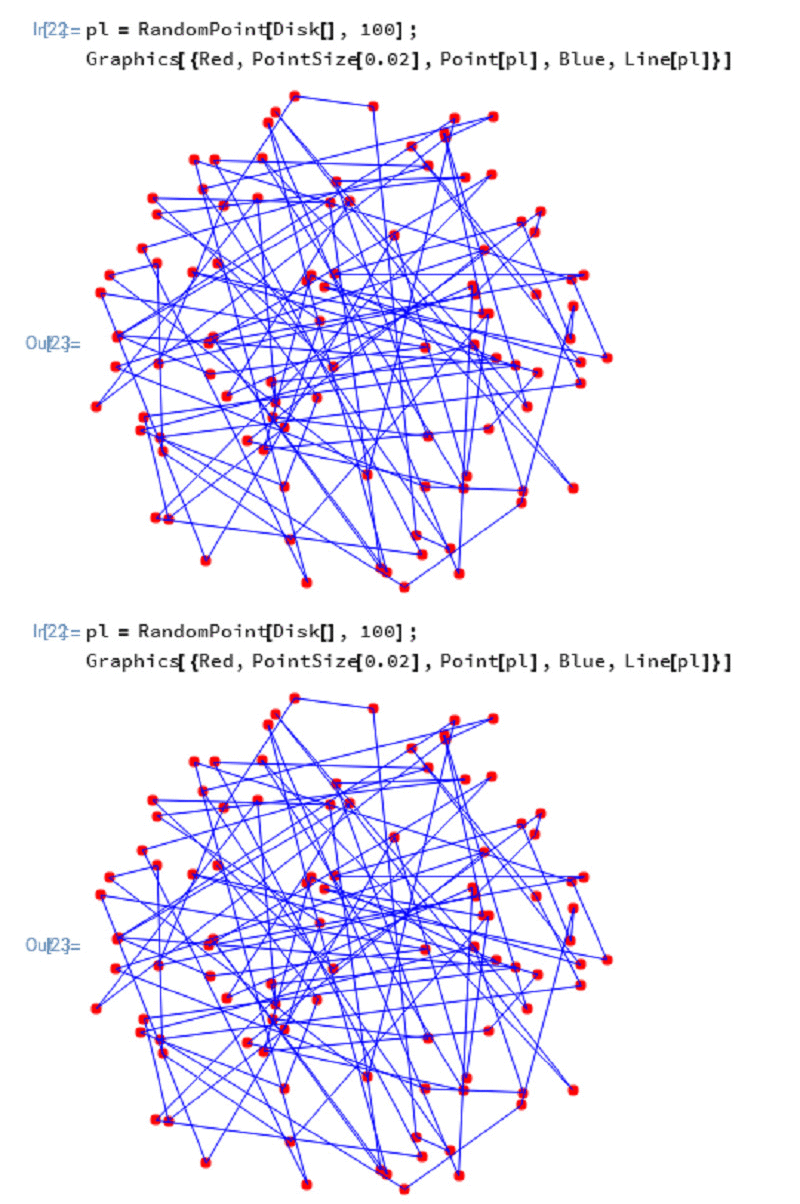
1、给出平面上的100个随机点,顺次连接线段,形成一个折线图形:
pl = RandomPoint[Disk[], 100];
Graphics[{Point[pl],Line[pl]}]
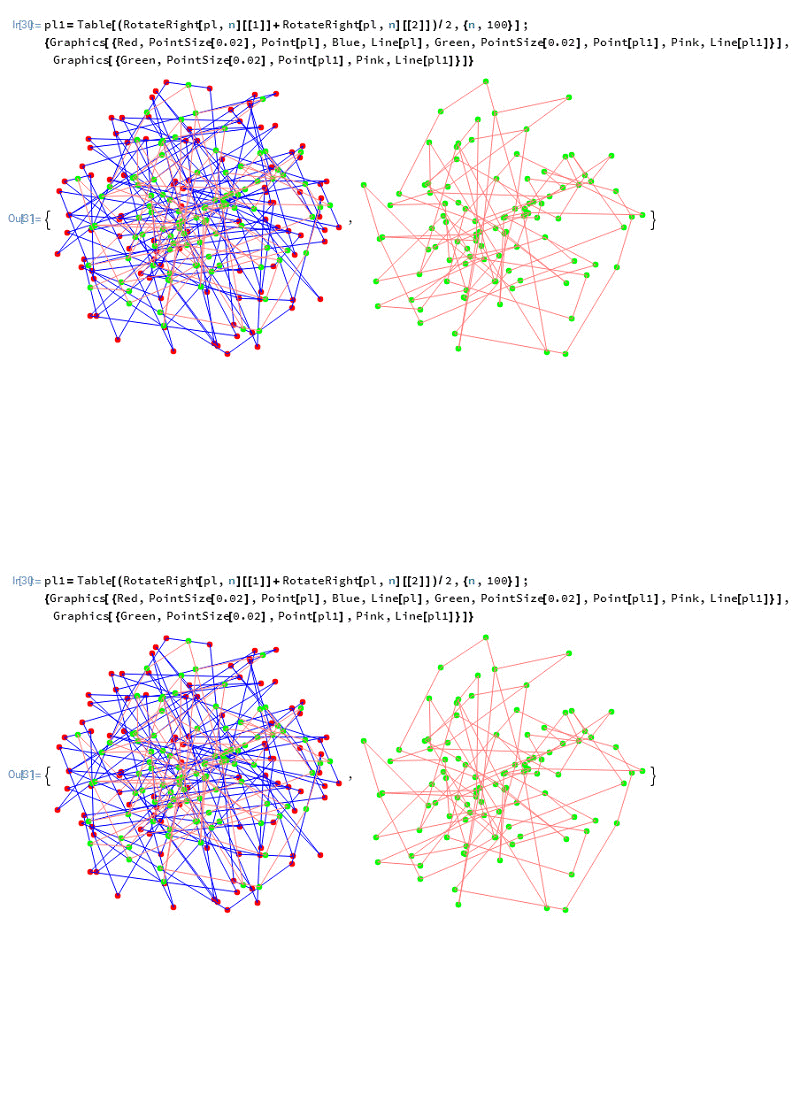
2、依次取各条线段的中点,再顺次连接这些中点,得到新的折线图形:
pl1=Table[(RotateRight[pl,n][[1]]+RotateRight[pl,n][[2]])/2,{n,100}];
{Graphics[{Point[pl],Line[pl],Point[pl1],Line[pl1]}],
Graphics[{Point[pl1],Line[pl1]}]}
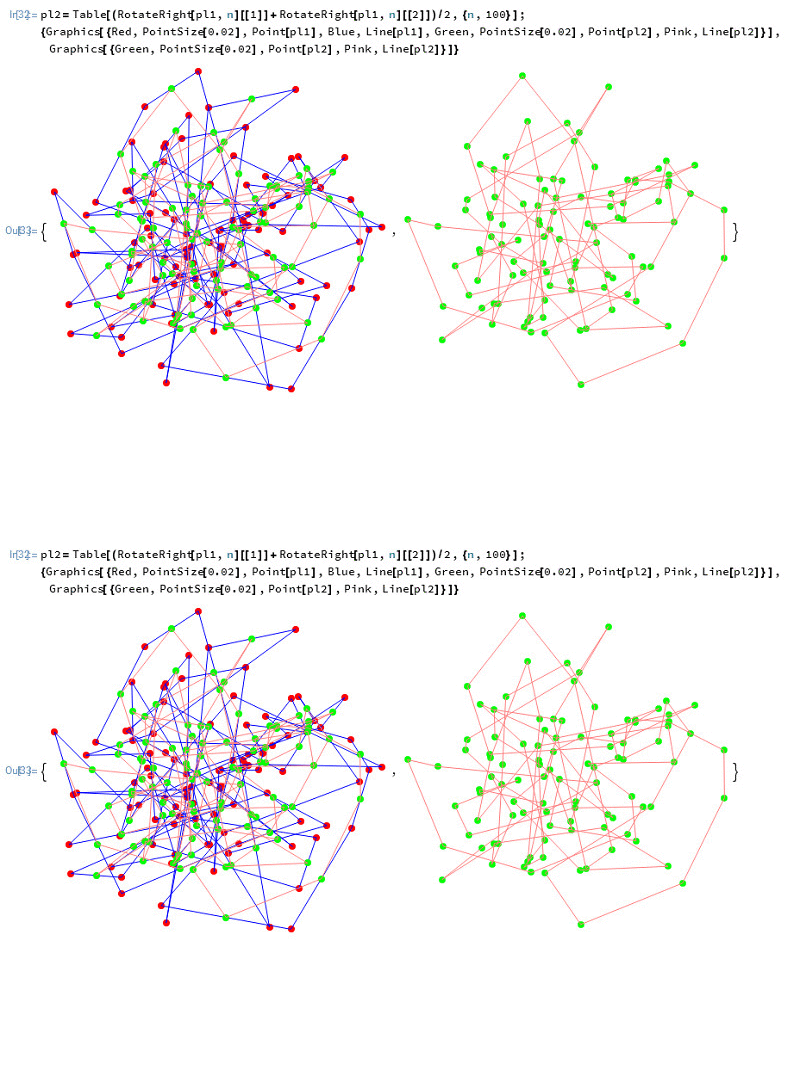
3、再执行一次上面的操作:
pl2=Table[(RotateRight[pl1,n][[1]]+RotateRight[pl1,n][[2]])/2,{n,100}];
{Graphics[{Point[pl1],Line[pl1],Point[pl2],Line[pl2]}],
Graphics[{Point[pl2],Line[pl2]}]}
4、用Nest对上面的操作进行迭代:
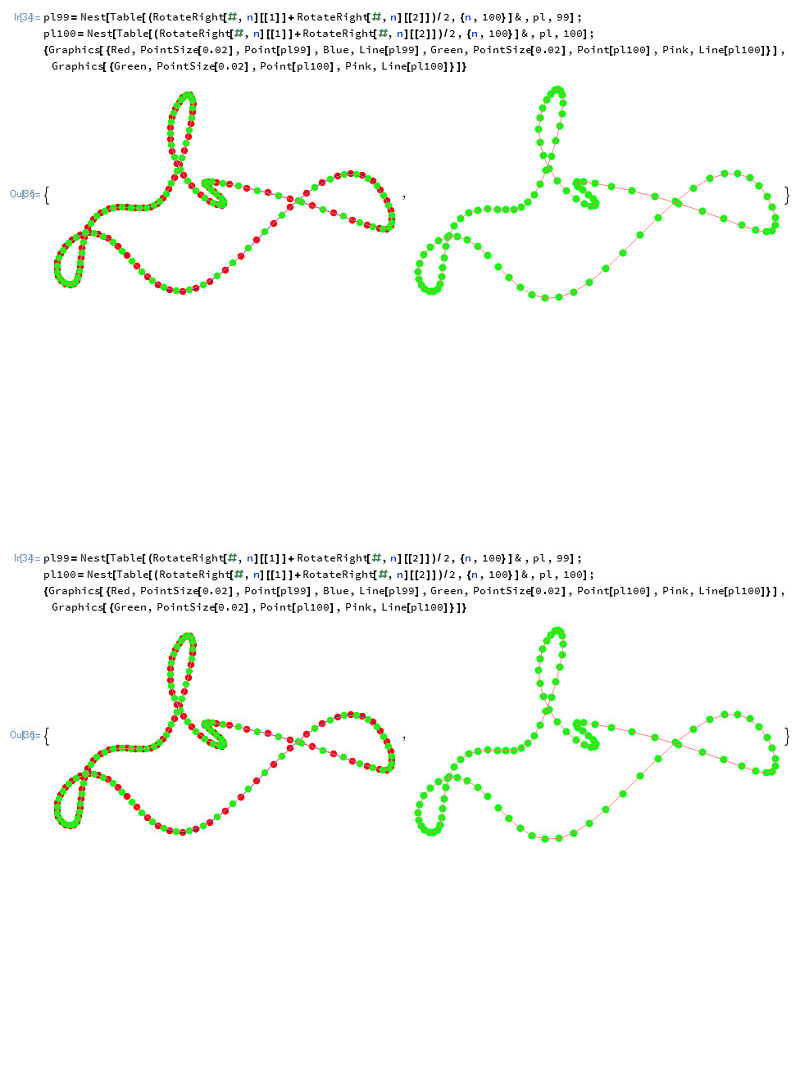
pl100=Nest[Table[(RotateRight[#,n][[1]]+RotateRight[#,n][[2]])/2,
{n,100}]&,pl,100];
{Graphics[{Point[pl99],Line[pl99],Point[pl100],Line[pl100]}],
Graphics[{Point[pl100],Line[pl100]}]}
下图就是第100操作之后得到的图形。
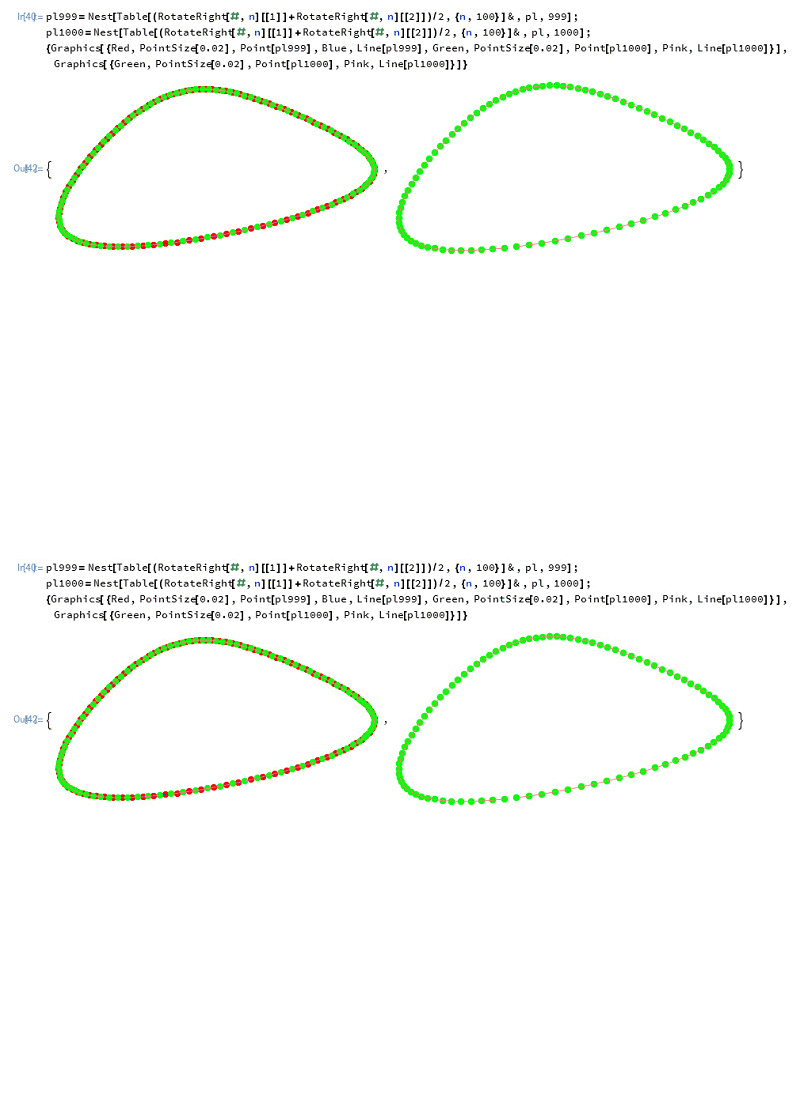
5、再看看迭代到1000次的效果图:
pl1000=Nest[Table[(RotateRight[#,n][[1]]+RotateRight[#,n][[2]])/2,
{n,100}]&,pl,1000];
{Graphics[{Point[pl999],Line[pl999],Point[pl1000],Line[pl1000]}],
Graphics[{Point[pl1000],Line[pl1000]}]}
6、用一个动画来演示这个过程的效果,迭代深度定为3000次。